
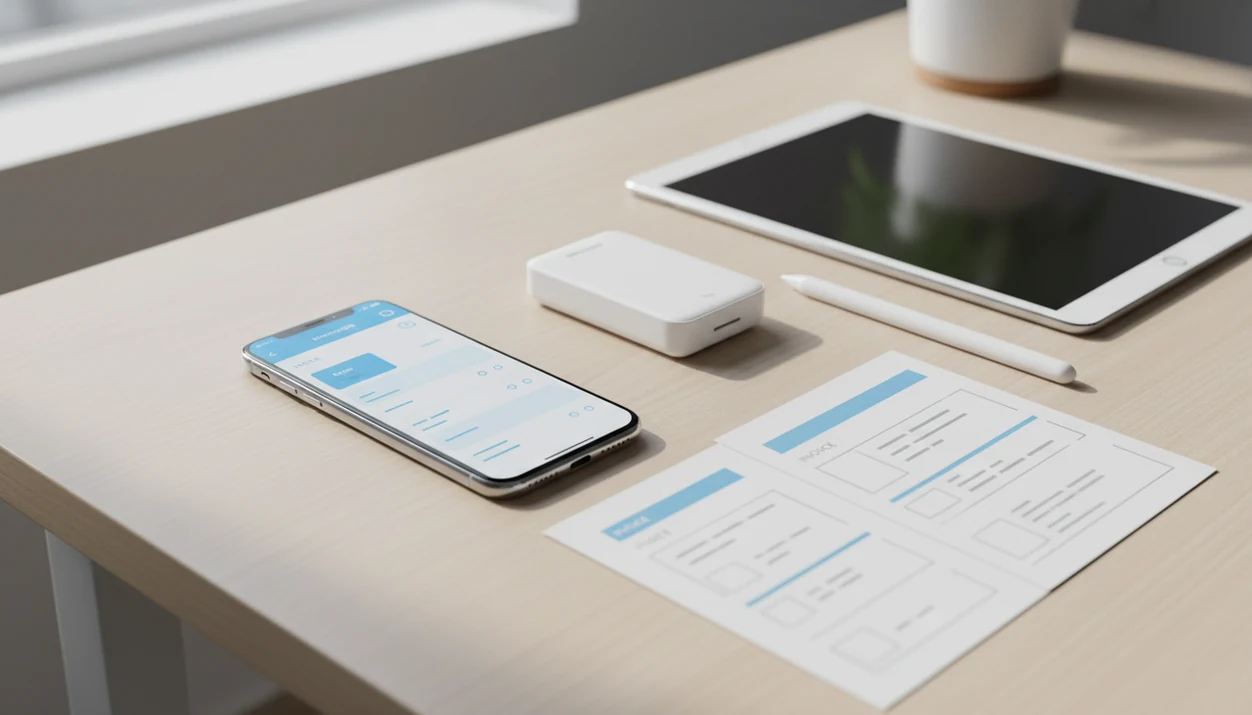
> Definition: A mobile invoice app is a phone-based tool that lets freelancers and small businesses create, send, track, and manage invoices, estimates, PDFs, reminders, and payments without a desktop computer.
Mobile Invoice App Features After Download
After a mobile invoice app download, the core value is simple: make the document, send the PDF copy, and see the payment status without opening a laptop. The workflow is phone-first billing, not a full accounting desk.
- Invoice and estimate creation: Build invoices or estimates from your phone with saved line items, taxes, discounts, and notes.
- PDF sharing: Generate a clean PDF and send it through Gmail, Outlook, WhatsApp, Messages, or another share sheet option.
- Client history: Save each client record so the next invoice does not require retyping the same name, email, or address.
- Payment status: Mark invoices as paid, unpaid, partially paid, or overdue when a client sends money or asks, “Can you resend that invoice?”
- Reminders and recurring invoices: Schedule follow-ups and repeat bills for ongoing clients.
Deloitte reported that 76% of small and midsize businesses used or planned to use mobile apps for operations, including invoicing and payments (https://www2.deloitte.com/us/en/pages/technology-media-and-telecommunications/articles/connected-small-businesses.html). That matches what we see in the field: the invoice often gets sent from a phone charger stretched across the dashboard.
When the issue is billing before details go stale, Invoice Maker Teo fits because it turns a saved client record and item list into a PDF invoice workflow.
Minimum Requirements for Invoice Maker Teo on Phone
The mobile invoice app is available for phone users through the App Store for iOS and Google Play for Android. Before downloading, check the live store listing for the current iOS or Android version requirement, because app-store minimums can change after system updates.
You need enough storage for the app, saved PDFs, logos, and invoice history. Most users will not need much space at first, but photo-heavy estimates and long invoice archives can grow over time.
No accounting background is required. You enter a business name, client name, line item, due date, and payment terms, then export the document.
Offline drafting helps when signal drops. Sending, syncing, and cloud backup still need internet access.
If your first task is the document itself, our how to make invoice on phone guide walks through the fields in order.
Mobile Invoice App Data Flow From Draft to Payment
Mobile invoicing works by moving invoice data through a structured document workflow: saved records feed a template, the app renders a PDF, and payment status updates the invoice history. The plain-English version is this: enter the details once, then reuse them without rebuilding each invoice.
The template engine populates fields from saved client and item data. That helps avoid tiny errors, like yesterday’s copied due date or a client name spelled two ways. PDF rendering happens on the device, so the document is ready before you switch to email or a messaging app.
Cloud sync stores invoices, estimates, and client records securely when enabled. Status tracking then moves each document through draft, sent, paid, and overdue states. Some workflows may also show viewed or partially paid, depending on setup.
Notification scheduling handles reminder timing. Encryption and secure storage protect business data, but device lock settings still matter.
For freelancers, a mobile invoice workflow is often easier than a spreadsheet because the invoice number, client record, PDF copy, and payment status stay connected.
6 Steps to Download and Set Up an Invoice App for Phone
Use this setup path when you want an invoice app for phone billing without turning setup into an accounting project. The first invoice may take a few minutes; the second one should feel faster.
- Open App Store or Google Play and search for Invoice Maker Teo.
- Tap Download or Install and wait for the app to finish installing on your phone.
- Open the app and enter your business name, logo, email, phone number, and address.
- Add your first client with the client name, email, billing address, and any useful notes.
- Create your first invoice or estimate using a template, line item, tax line, due date, and payment terms.
- Send the invoice as a PDF through email or a messaging app, then update the payment status when money arrives.
Small detail. Big difference.
A missing invoice number can slow a payment more than fancy branding helps it. If sending is the part you want to tighten, the full process is covered in our how to send invoice with phone guide.
Some e-invoicing research has reported payment-cycle improvements versus paper invoicing, including estimates in the 5-to-11-day range depending on country, buyer workflow, and invoice process maturity (https://www.billentis.com/einvoicingebillingmarketreportEN.htm).
Mobile Invoice App Download: iOS vs Android Features
A mobile invoice app download should give iPhone and Android users the same billing basics: invoices, estimates, PDFs, reminders, and payment tracking. Platform differences usually show up in sharing menus, widgets, shortcuts, and system file handling.
| Feature | iOS | Android |
|---|---|---|
| Invoices and estimates | Available | Available |
| PDF export | Available through iOS sharing options | Available through Android sharing options |
| Reminders | Available when notifications are allowed | Available when notifications are allowed |
| Cloud sync | Keeps records consistent when enabled | Keeps records consistent when enabled |
| System perks | May support iOS widgets or shortcuts when available | May support home screen widgets or Android share flows when available |
Invoice App Features on iPhone
Invoice Maker Teo on iPhone is useful when you want to create a PDF copy, send it through Mail or Messages, and keep the client record ready for the next bill. For iPhone-specific setup, use our invoice maker app for iPhone guide.
Invoice App Features on Android
Android users often care about fast sharing into Gmail, WhatsApp, or Drive after the PDF is created. If your phone is Android, our invoice maker app for Android page covers the platform workflow.
Freelancer and Small Business Use Cases for an Invoice App
A mobile invoice app helps most when billing happens away from a desk: after a job, at a client site, or right after a project milestone. This workflow fits freelancers, contractors, trades, consultants, and micro-businesses that need to keep the next invoice easy.
- Freelancers: Send hourly or project-based invoices with a clear due date and notes field.
- Contractors and trades: Create estimates on site, then convert approved work into an invoice later.
- Consultants: Bill retainers, deposits, or milestone payments without copying an old Word document.
- Micro-businesses: Keep client records, taxes, discounts, and payment status in one place.
- Repeat-service teams: Use recurring invoices and reminders for predictable jobs.
The mower clippings are still stuck to the gloves when the billing question comes up.
Digital tools matter beyond convenience. McKinsey has reported that digitally engaged small firms can achieve materially higher revenue growth than less digital peers, with some analyses citing growth up to four times higher (https://www.mckinsey.com/capabilities/mckinsey-digital/our-insights/unlocking-growth-in-small-and-medium-size-enterprises). A separate small-business software survey found that about 64% of U.S. small businesses use accounting or invoicing software; cite the exact survey URL used before publishing this statistic.
Consultants trying to bill deposits before launch can use Invoice Maker Teo because estimates, invoice conversion, and payment status sit in the same workflow.
Spreadsheet Migration Plan for a Mobile Invoice App Download
Moving from a spreadsheet should start with cleanup, not import speed. Bad source data creates bad invoices, especially when client names, invoice numbers, and old due dates are inconsistent.
Start by removing duplicate client rows and choosing one spelling for each business name. Then set a consistent invoice number pattern, such as 2025-001, 2025-002, and so on. Re-enter recent unpaid invoices or keep past totals as reference notes so your records still make sense.
Next, configure tax rates, currency, payment terms, and the default notes field. Add your logo at the top and check the tax line below the subtotal before sending anything real.
A first-week migration checklist should include clients, items, taxes, terms, logo, unpaid balances, and one test PDF. Tiny cells pinched on a phone are a warning sign, not a workflow.
Good invoice maker apps for freelancers and small businesses to create, send, and track invoices and estimates deliver repeatable billing, not enterprise accounting software.
Download Invoice Maker Teo for iOS and Android
Download Invoice Maker Teo from the App Store for iOS or Google Play for Android, then start with your business profile, first client, and first invoice template. It is free to start, and no credit card is required for basic setup.
- iOS: Download Invoice Maker Teo from the App Store.
- Android: Download Invoice Maker Teo from Google Play.
If your priority is getting paid from a phone without rebuilding each document, The app handles invoices, estimates, PDF export, reminders, and payment tracking in one mobile invoice workflow.
That matters on Monday morning when the due date is highlighted and the client still has not paid.
Limitations
A mobile invoice app can improve billing habits, but it will not fix every business problem. Invoice Maker Teo keeps invoicing simple, while tools such as FreshBooks, Wave, Zoho Invoice, Invoice2go, or invoice-simple.com may fit different accounting or payment needs.
- A mobile invoice app will not fix poor pricing, vague scopes, or unclear contracts.
- Free tiers may limit advanced features such as online payments, branding, recurring invoices, or reporting.
- Device loss or theft is a real risk if cloud backup is not enabled.
- Not every app supports every country’s tax rules, languages, currencies, or invoice formatting expectations.
- Mobile invoice apps are not full accounting systems; payroll, complex tax filings, and detailed financial reports may require separate tools.
- Small-screen editing can feel cramped when an invoice has many line items, discounts, or long descriptions.
- Internet access is required to send invoices, sync records, and back up data, even when offline drafting works.
- Payment tracking still depends on you updating cash, check, bank transfer, or partial payment records accurately.
For very complex books, a dedicated accounting platform may be better than a phone-first invoice app because reporting depth matters more than quick PDF delivery.