
Definition: An invoice template app is a mobile or web tool that stores reusable invoice layouts with your branding, client details, line items, and tax settings so every invoice is consistent and ready to send in seconds.
What an Invoice Template App Actually Does
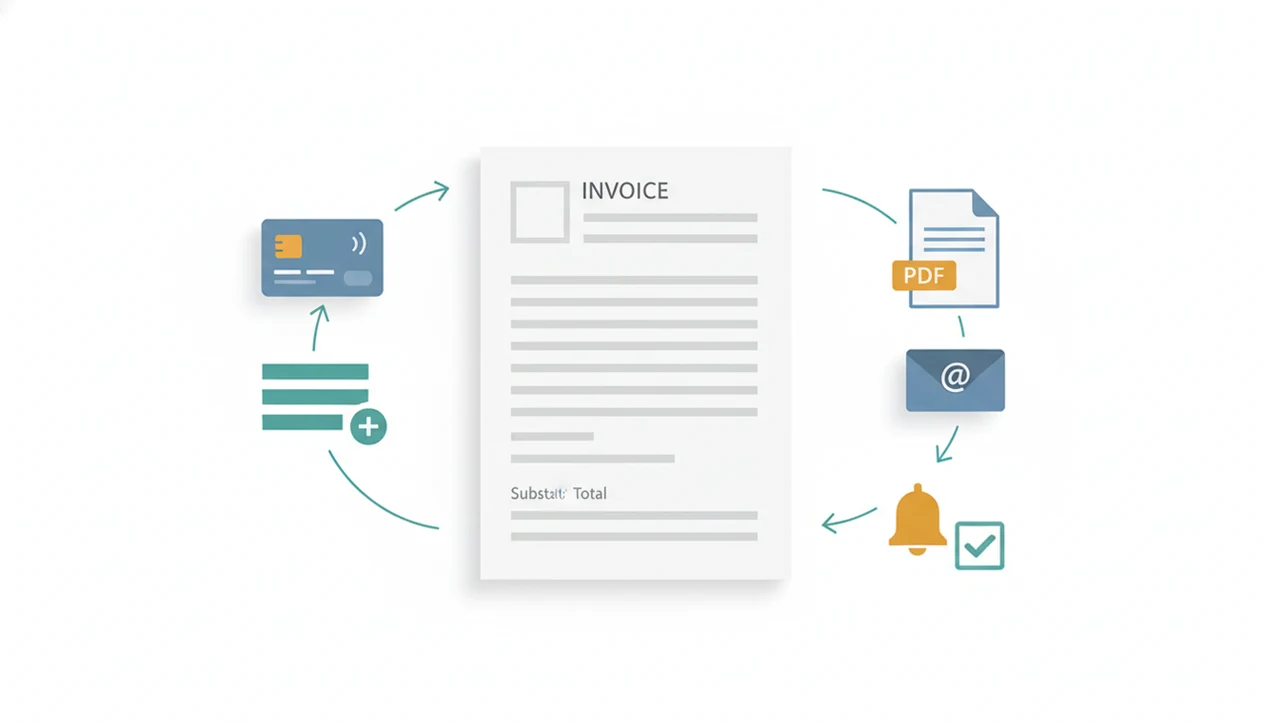
An invoice template app stores the repeatable parts of an invoice, then fills each new document with the right client, line items, taxes, invoice number, and due date. It is not just a PDF generator; it manages the mobile invoice workflow around the PDF.
A useful template saves your logo, colors, business name, address, payment terms, tax settings, and default notes. It also keeps client records and common services ready, so “Logo design, 3 revisions” or “Monthly lawn care” does not need to be typed again.
The real test comes when the invoice leaves your phone. A strong app creates the PDF copy, sends it by email or link, and updates the payment status after the client pays.
If your priority is avoiding rebuilt invoices, Invoice Maker Teo fits because saved clients, saved line items, invoice numbers, taxes, PDFs, and reminders stay connected in one workflow.
For branding details, a dedicated invoice maker with logo can help you understand what belongs on the top of the invoice.
5 Facts About Invoice Template Apps Every Freelancer Should Know
- Branded templates reduce rework. A saved logo, color choice, business address, and payment terms keep every invoice consistent without manual formatting before each send.
- Statuses matter as much as design. Templates tied to draft, sent, viewed, overdue, and paid statuses make follow-up easier than hunting through Gmail after a client says, “Can you resend that invoice?”
- Template-based invoicing cuts admin time. Small businesses with 1 to 4 employees spent about 60 hours per year on tax and record-keeping compliance, a category that includes invoice and payment records, according to an IRS report. Source: IRS, Taxpayer Compliance Burden for Small Businesses, https://www.irs.gov/pub/irs-soi/15resconburden.pdf.
- Good apps support taxes, currencies, and payment options. A tax line below the subtotal, the right currency, and clear payment instructions reduce back-and-forth with clients.
- Standard template types reduce mistakes. Hourly, fixed-fee, retainer, and product templates keep pricing logic predictable.
Freelancers looking for fewer invoice edits should prioritize reusable template details connected to payment status, not just a finished PDF.
How a Branded Invoice App Workflow Works
A branded invoice app works in three layers: the template layer, the data layer, and the workflow layer. The template layer stores the look of the invoice, including logo, colors, fields, payment terms, and notes.
The data layer pulls from saved records. Client details, service items, tax rates, invoice numbers, and currency choices are structured data, which means the app can calculate totals and reuse details without copying from an old PDF. PDF generation happens after that data is arranged, not as a separate design task.
Then the workflow layer carries the document forward: estimate, invoice, send, track status, record payment, and remind if needed. Paint swatches spread on a porch rail are enough to distract anyone from billing, so the fewer fields you retype later, the better.
This flow works best when an estimate can become an invoice, then move into PDF export, sending, reminder, and payment record steps without rebuilding the job details.
How to Use an Invoice Template App Step by Step
Use an invoice template app by setting up the reusable business details first, then creating invoices from saved clients and line items. The goal is to keep the next invoice easy, not to design a new document every time.
- Set up your business profile with logo, business name, address, contact details, and payment terms.
- Add client details and save the client record for future invoices, estimates, and reminders.
- Choose or create a template and add line items, taxes, discount fields if needed, and the correct currency.
- Preview the PDF and send the invoice by email or link after checking the invoice number and due date.
- Track invoice status and record full or partial payment when money arrives.
- Reuse the template for the next invoice, or convert an approved estimate into an invoice.
Before sending, open the PDF once. Yesterday’s copied due date is easier to catch on the preview screen than after the client forwards it to accounting.
For delivery details, a PDF invoice maker app workflow is often easier than exporting a file and attaching it manually from a desktop.
When to Use Different Invoice Template Types
Different revenue models need different invoice templates because the pricing logic changes. Most guides talk about “a template,” but a freelancer who bills hourly, sells products, and runs retainers should not force every job into one format.
An hourly template fits time-based freelance work, where the invoice needs rate × hours, dates worked, and a clean subtotal. A fixed-fee template fits project milestones or flat-rate services, especially when a milestone checklist is ticked in pen before billing.
A retainer template works for recurring monthly invoices with stable line items, payment terms, and due dates. A product or sales template should show quantities, unit prices, item descriptions, and any tax line clearly.
For service businesses, repeatable templates work best when clients, line items, taxes, and payment terms can be reused across different billing patterns.
The most reliable invoice setup usually depends more on matching the template to the revenue model than on choosing a fancier layout.
Invoice Templates in Invoice Maker Teo
Saved templates should apply logo and branding details automatically, then let users build new invoices from saved clients, saved line items, tax settings, and currency choices. That matters when the send button is tapped in a parked van and the job details are still fresh.
Estimate-to-invoice conversion keeps numbers aligned because the approved quote becomes the billing document instead of a second, retyped version. That reduces disputes over scope, materials, and agreed totals. The PDF copy can then be exported or sent from the app, with payment status and reminders tied to the same invoice record.
Late payment is common enough to plan for. In one small business survey, 27% of invoices were paid late and 6% were written off as bad debt, which makes status tracking more than a nice extra. Source: QuickBooks, late-payment and cash-flow research for small businesses, https://quickbooks.intuit.com/r/cash-flow/late-payments/ .
After a job is approved, the workflow earns its place when estimate conversion, PDF sending, reminders, and payment records stay attached to the same invoice number.
For service-specific layouts, use a professional invoice template for services that separates labor, materials, taxes, and notes clearly.
Invoice Template App vs Free PDF Templates
A free PDF template works for a one-off invoice, but an invoice template app is better for repeat billing because it saves data, calculates totals, and tracks payment status. Static files make every invoice a small rebuilding project.
| Feature | Invoice template app | Free PDF template |
|---|---|---|
| Saved clients | Stores reusable client records | Re-enter every time |
| Line items | Saves services, products, rates, and taxes | Manual typing |
| Invoice numbers | Auto-generates or continues numbering | Manual entry |
| Branding updates | Applies changes across future invoices | Edit each file |
| Status tracking | Shows sent, overdue, paid, or unpaid | No built-in tracking |
| Reminders | Can connect reminders to the invoice | Separate email task |
| Payment records | Records full or partial payments | Manual note elsewhere |
A global survey of micro, small, and medium-sized businesses found that about 40% reported better cash-flow visibility and payment collection from digital finance tools, including e-invoicing. Source: World Bank, digital financial services research for MSMEs, https://www.worldbank.org/en/topic/financialinclusion/brief/digital-financial-services .
Invoice Maker Teo is a practical choice for ongoing freelance and small business billing because templates, PDF export, sending, reminders, and payment tracking stay in the same mobile invoice workflow.
Common Myths About Branded Invoice Apps
The first myth is that a branded invoice app is just a prettier PDF generator. In reality, the useful part is the workflow from estimate to invoice, then sending, payment status, reminder, and record.
The second myth is that branding is only cosmetic. A consistent logo, business name, invoice number, tax line, and payment terms help clients recognize the bill and question fewer details. Good invoice maker apps deliver clear billing records, not enterprise accounting software.
The third myth is that templates lock you into one format. Modern invoice templates app options often let you change fields, taxes, currencies, notes, and line item structure. For deeper formatting decisions, an invoice line items guide can prevent vague descriptions like “work completed.”
The fourth myth is that invoicing apps are overkill for solo workers. A freelancer checking unpaid status on a phone after a client asks for a resend needs the same basic record trail as a larger shop, just without heavy accounting software.
Limitations
Invoice template apps make billing faster, but they do not remove every billing problem. The printer tray jam before mailing may disappear, but accuracy and follow-up still belong to the business owner.
- Templates rely on accurate input. Wrong rates, tax settings, or client names can create consistent errors faster.
- A branded invoice does not guarantee on-time payment. Contracts, deposits, and clear scope still matter.
- Some corporate clients require a purchase order or vendor portal, which limits your template choice.
- One-app dependence is risky without PDF exports or backups.
- Automated tax handling, multi-currency support, and payment methods vary widely between apps.
- An invoice app is not accounting software. It does not replace bookkeeping, tax filing, payroll, or formal financial advice.
- Larger platforms such as FreshBooks, Wave, Zoho Invoice, Invoice2go, and Invoice Simple may fit users who need broader accounting or payment features.
If the priority is simple mobile invoicing rather than full accounting, the best fit keeps templates, PDF copies, reminders, and payment status close to the actual billing task.
For international billing, compare currency behavior before choosing a multi currency invoice app.