
Make invoices on your phone
- Effortless creation from saved clients and line items
- Custom templates with your logo and payment terms
- Automatic tax and total calculations
Invoice Maker Teo helps freelancers and small businesses create, send, and track polished PDF invoices and estimates from a phone or laptop.
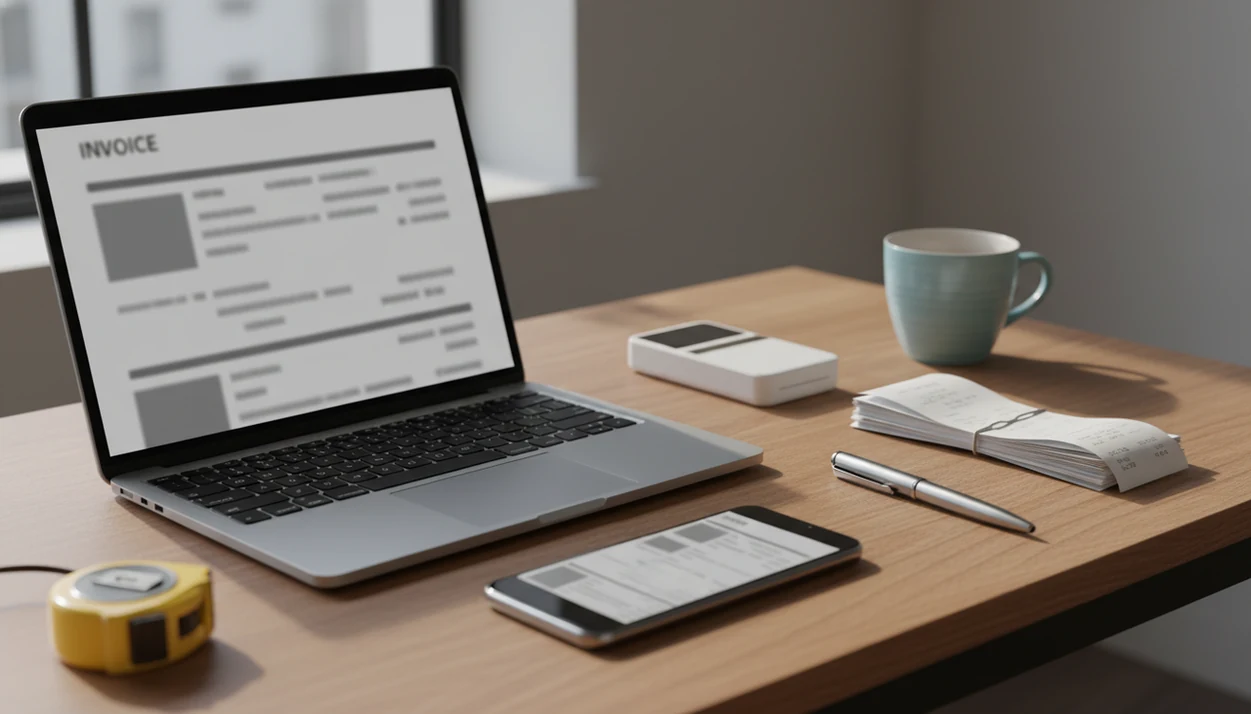
Instant PDF export · Email and messaging share links
See sent, viewed, partially paid, and paid statuses in one dashboard so follow-ups happen before a job turns into a write-off.
> Definition: Invoice Maker Teo is an invoice maker app that creates invoices, estimates, PDFs, reminders, and payment tracking for freelancers and small businesses.
A spreadsheet zoomed beside a cash drawer works for a few jobs. It gets messy once you need a clean PDF copy, a matching invoice number, and a reliable payment status.
Invoice Maker Teo replaces manual invoice formatting with ready-made templates, automatic invoice numbers, calculated totals, tax lines, and one dashboard for invoice and estimate status. Good invoice apps deliver faster billing and clearer follow-up, not a full accounting department in your pocket.
When the send button gets tapped in a parked van, the billing details are still fresh. That matters for home service work, field jobs, and freelance milestones where forgotten line items turn into lost revenue.
The right fit for fast post-job billing is Invoice Maker Teo because it lets you create a PDF invoice, send it by email or share link, and track whether it is still unpaid. For a broader feature comparison, our best invoice maker app guide covers how simple invoice apps differ from accounting platforms.
Professional PDF invoices can include business details, client records, line items, tax rates, discounts, notes, and payment terms. You can add a logo at the top and keep the next invoice easy by reusing saved items.
Approved quotes can become invoices without retyping the client name, job description, or price. If your priority is reducing double entry, estimate-to-invoice conversion matters because it keeps the original job details intact.
The dashboard shows sent, viewed, partially paid, and paid statuses, then supports reminders for overdue invoices. That is the part a plain PDF generator misses. If you mainly need follow-up visibility, the invoice payment tracking app workflow is the better place to start.
A good invoice maker app helps you bill quickly, follow up clearly, and keep clean records without pretending to be a full accounting system. The best choice is the one that matches how you quote, finish, and collect payment for real jobs.
When comparing apps, look past the template gallery and check the everyday workflow:
An invoice maker app works by storing structured billing data, then turning that data into a formatted invoice, PDF, delivery record, and payment-status timeline. The template engine pulls saved business info, client data, and line items into a repeatable layout.
A calculation engine handles subtotals, tax amounts, discounts, and grand totals. PDF rendering then converts the invoice data into a shareable document that can be sent through Gmail, Outlook, WhatsApp, Messages, or a link.
Status tracking updates when an invoice is sent, opened, or marked paid. A reminder scheduler checks the due date and payment status before sending follow-up prompts. Compared with a file named “invoice new version,” that workflow gives you fewer copied due dates and fewer missing invoice numbers.
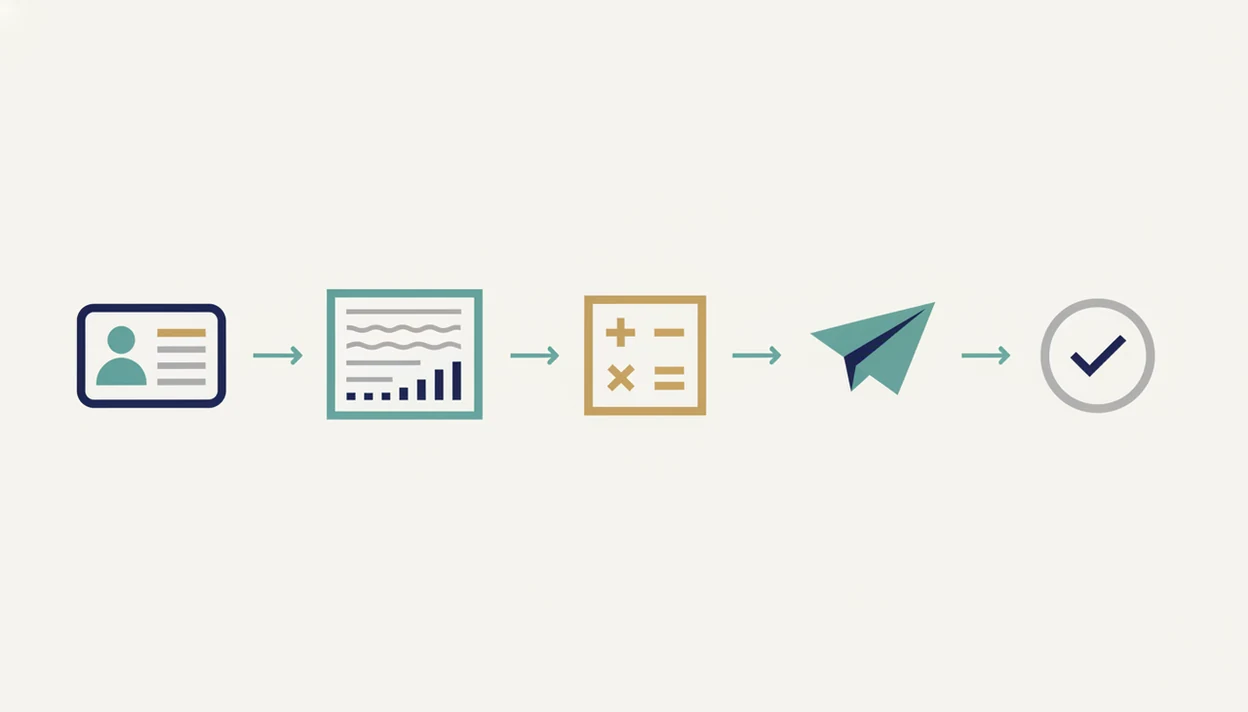
Use Invoice Maker Teo by setting up your business profile, adding a client, creating the invoice, reviewing the PDF, sending it, and tracking payment status.
For a phone-specific walkthrough, use our guide on how to make invoice on phone.
Invoice Maker Teo is built for freelancers, independent contractors, and small service businesses that need speed more than complex accounting controls. Self-employed workers account for roughly 10 percent of U.S. employment, according to BLS labor-force data, and many of them just need to bill clearly and get paid: https://www.bls.gov/cps/.
Cleaners, plumbers, designers, consultants, tutors, mobile mechanics, and solo operators all fit the pattern. One client gate code saved on a phone, one weekly service note under a magnet, one invoice sent before the next job starts.
On days a repeat client asks, “Can you resend that invoice?”, Invoice Maker Teo earns the spot because the client record, PDF copy, and unpaid status are in the same workflow. It is not built for enterprise ERP, payroll, or full-stack accounting needs; a simple invoice app for small business should stay focused.
Invoice apps save time when they replace repeated typing, manual totals, paper routing, and ad hoc follow-up with one billing workflow. The strongest evidence is practical: small businesses already spend measurable weekly time on invoicing and payment administration, while e-invoicing research consistently shows lower processing costs than paper-heavy methods.
Federal Reserve small-business survey data has put invoicing, bill payment, and related payment work at about 4.9 hours per week for U.S. small businesses. That is before counting the mental drag of checking who has paid, who needs a reminder, and which PDF was the final version. Late-payment reporting also shows why reminders matter: when many invoices miss their due date, status tracking becomes cash-flow hygiene, not a luxury feature.
A sensible way to estimate your own savings is:
Invoice apps are not just PDF generators. A useful invoice app also tracks payment status, stores client records, supports reminders, and gives small teams basic cash-flow visibility.
Freelancers are not “too small” for structured invoicing. Manual billing scales poorly once invoice numbers, due dates, deposits, and repeat clients pile up. Small errors feel harmless until a client pays the wrong amount.
Invoice apps also do not replace full accounting or tax software. Most handle invoices, estimates, taxes shown on the document, and payment status. They do not prepare tax filings or make compliance decisions.
Finally, not every invoice app works the same globally. Currency formats, required invoice fields, tax labels, and payment methods can differ by country. For quote-heavy work, compare the best estimate maker app options before picking a workflow.
We evaluate invoice maker apps by running the same everyday billing workflow a freelancer would use after a real job. The goal is to separate fast, reliable invoicing from broader accounting suites that may be more than a solo operator needs.
That keeps the recommendation grounded in practical billing speed, not just a long feature checklist.
Invoice Maker Teo is designed for mobile invoicing and estimates, but it does not cover every finance task.
Still, for a freelancer checking partial payment near the register, a focused invoice workflow is often easier than opening a full accounting suite.
Many invoice apps offer free tiers with limits on invoices, clients, branding, or reminders. Invoice Maker Teo availability and pricing can vary by platform and plan.
Yes, many invoice apps let you create estimates and convert approved estimates into invoices. Invoice Maker Teo supports that workflow so the client, line items, and pricing do not need to be re-entered.
No, an invoice app usually handles invoices, estimates, PDFs, reminders, and payment tracking. It does not replace bookkeeping, tax filing, payroll, or formal financial reporting.
Yes, mobile-first invoice apps let you create and send invoices from a phone. You can usually export a PDF or send a share link from the job site.
Invoice apps track payments with statuses such as sent, viewed, partially paid, and paid. Some also schedule reminders based on due dates and unpaid status.
Secure invoice apps use measures such as encryption, account access controls, and secure payment-provider handling. Users should still review privacy settings and avoid sending sensitive client data through unsafe channels.
Most invoice apps generate PDF invoices because PDFs are easy to email, print, and store. A PDF copy also preserves the layout, logo, totals, and payment terms.
Yes, most invoice maker apps support custom branding. That usually includes a logo, business name, colors, contact details, and payment notes.
Many invoice apps support multiple currencies for international clients. Users should still verify local tax rules, invoice fields, and compliance requirements before relying on one setup.
Invoice Maker Teo is an invoice maker app that lets freelancers and small businesses create, send, and track professional invoices and estimates from a phone or laptop in minutes…