
Send Invoice By WhatsApp Without Losing Records
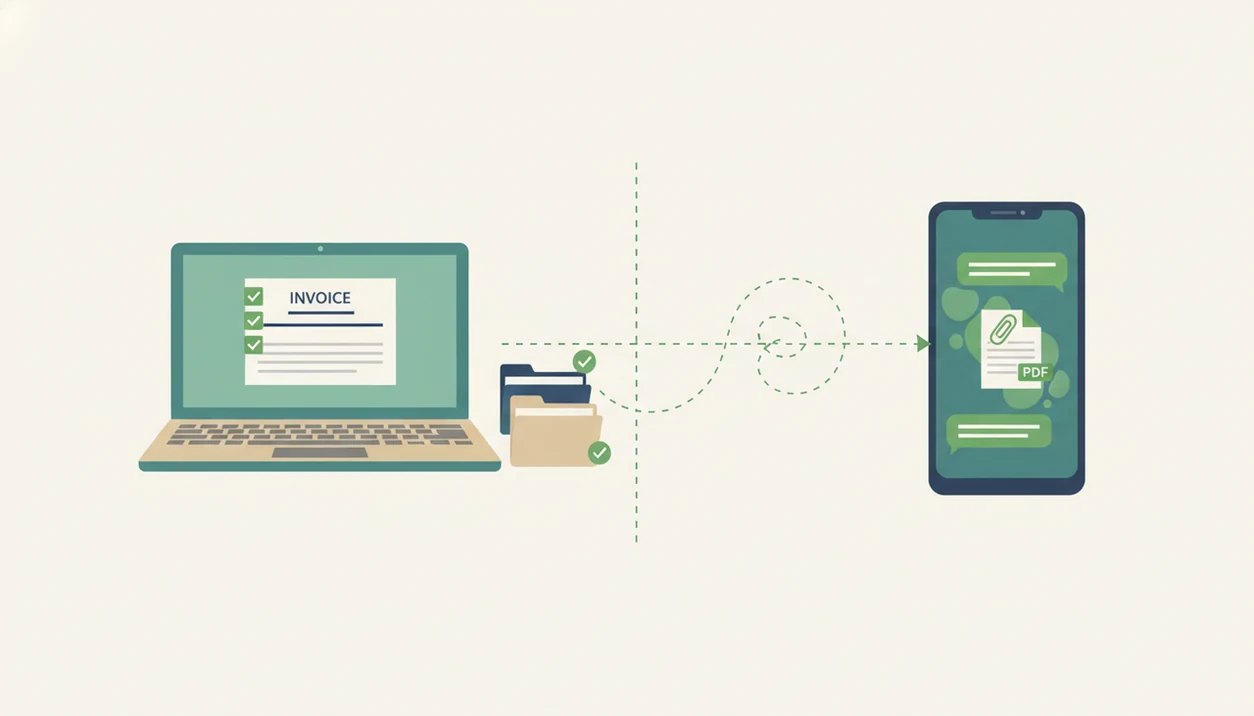
To send invoice by WhatsApp safely, create the invoice in an invoicing app first, then share the PDF or secure invoice link through WhatsApp while keeping the app as your system of record. WhatsApp is fast for delivery, but your invoice app should store the invoice number, client details, due date, payment status, and reminders.
Sending an invoice by WhatsApp means creating a formal invoice as a PDF or secure link, then delivering it through a WhatsApp chat instead of typing invoice details directly into a message.
- Use WhatsApp as the delivery channel, not the place where the invoice record lives.
- A WhatsApp invoice PDF or secure link looks more professional than a screenshot or plain-text chat.
- Keep payment tracking, reminders, invoice numbers, and client history inside an invoicing app such as Invoice Maker Teo.
At-a-glance WhatsApp invoice workflow
Create the invoice before opening WhatsApp, then send a PDF copy or secure invoice link through the client chat. Keep WhatsApp for delivery and discussion; keep the invoice app for records.
A safe mobile invoice workflow starts in your invoice app. Add the client record, invoice number, line item details, tax line if needed, due date, and payment instructions. Then share the finished file through WhatsApp. Don’t type the whole invoice into chat, because copied totals and missing dates are easy to miss.
WhatsApp is common because many clients already use it for business messages. Meta reported that WhatsApp has more than 2 billion users worldwide (https://blog.whatsapp.com/two-billion-users-connecting-the-world-privately), and WhatsApp Business reported more than 200 million monthly active users in 2023 (https://about.fb.com/news/2023/06/whatsapp-business-now-serves-more-than-200-million-users/).
Fast delivery is useful. Lost records are not.
5 facts about sending a WhatsApp invoice PDF
- A professional invoice should be generated in an invoicing tool, not assembled from chat text after the job is done.
- A WhatsApp invoice PDF or secure link should include the legal business details, payment terms, due date, invoice number, and clear total.
- Some invoice apps support direct WhatsApp sharing, so the phone share sheet opens the client chat with the PDF or link ready.
- WhatsApp does not replace invoice tracking, payment status, reports, reminders, or accounting records.
- Client consent, privacy, and sensitive data matter when you message invoice to client through a personal or business chat.
The most reliable approach is simple: make the invoice as a document, then send that document through the channel your client actually checks.
If the layout matters, a PDF invoice maker app is usually cleaner than a screenshot from a spreadsheet.
WhatsApp invoice data flow behind the scenes
WhatsApp invoice delivery works by separating the invoice record from the message channel. The invoice app creates the structured record, while WhatsApp only carries the PDF file or hosted invoice link to the client.
Here is the data flow in plain terms. First, the invoice app stores the client, items, tax, due date, notes field, and payment status. Then it generates a PDF or secure web link. The phone share sheet, or a built-in “Send via WhatsApp” button, opens WhatsApp and attaches that file or link to the selected chat.
After sending, the client can download the PDF, review the total, or pay through a link if payments are enabled. The status should still live in the invoicing app. WhatsApp may show that a message was delivered or read, but that is not the same as paid.
The chat is a trail. The app is the record.
Client invoice requirements before a WhatsApp message
What do you need before sending an invoice through WhatsApp? You need the client name, phone number, invoice items, price, taxes if applicable, due date, and payment instructions, plus a saved invoice record.
Create a professional PDF invoice or secure invoice link before the message. Check that the client name is spelled one way, the invoice number is present, and yesterday’s copied due date did not sneak in. If the client has asked for WhatsApp delivery, or has used that channel for the job, the message will feel natural.
Some clients still require email, purchase order systems, or vendor portals. If the client processes bills in QuickBooks, Xero, Zoho Invoice, Stripe Invoicing, or a procurement portal, send the WhatsApp copy as a convenience and still submit the official invoice through their required system. A facilities manager may approve work in WhatsApp, but still need the invoice uploaded elsewhere. For service details, a professional invoice template for services can help keep the document formal before you send it.
How to send invoice by WhatsApp step by step
Use WhatsApp as the sending route, not as the place where the invoice is built. The steps below keep the next invoice easy because the client record, PDF copy, payment status, and reminder stay in one place.
1. Create the invoice record
- Open your invoice app and create a new invoice for the client.
- Add the invoice number, client details, service line items, prices, taxes, and due date.
2. Review the PDF details
- Generate the invoice as a PDF copy or secure link.
- Review the logo, total, payment terms, tax line below the subtotal, and notes field.
For line-item wording, an invoice line items guide helps avoid vague entries like “work completed.”
3. Share through WhatsApp
- Tap Share or Send via WhatsApp, then choose the client chat.
- Add a short note with the amount, due date, and payment call-to-action.
A send button tapped in a parked van is normal for field work. Just review before tapping.
4. Track payment outside the chat
- Mark the invoice as sent and set any follow-up reminder inside the invoice app.
- Update payment status when the client pays.
Good invoice maker apps for freelancers and small businesses create, send, and track invoices and estimates, not replace bookkeeping advice or a full accounting system.
Professional WhatsApp invoice message template
A good WhatsApp invoice message should be short, specific, and polite. Put the sensitive details inside the PDF or secure link, not in the chat body.
Use this reusable template:
“Hi [Client Name], I’ve attached invoice [Invoice Number] for [work/project]. The total is [Amount], due on [Due Date]. You can review the invoice and payment details in the attached PDF/link. Please let me know if you need anything changed. Thank you.”
For business clients, use a more formal tone and include the company name or purchase reference if they gave you one. If the contract tab is open beside the total, copy only what belongs in the invoice. Don’t paste banking details into a busy group chat.
For many freelancers, WhatsApp is faster than email because the client already replies there, but the invoice should still be a formal PDF or link.
Common mistakes when sending invoices by WhatsApp
The most common WhatsApp invoice mistakes happen when the chat becomes the invoice instead of the delivery route. Keep the document clean, complete, and private before you press send.
- Send a searchable PDF or secure invoice link, not a screenshot. A screenshot may look fine on your phone, but it is harder to search, archive, print, or check against the client’s records.
- Avoid typing totals by hand in the message. If the chat says one amount and the PDF says another, you have created a small dispute before payment even starts.
- Check the essentials before sharing. The invoice number, due date, client name, payment instructions, and total should be inside the invoice document, not remembered later in a follow-up message.
- Keep private details out of group chats. Banking, tax, address, or ID details should stay in the PDF, secure link, or the client’s required payment system.
- Treat read receipts as delivery signals only. A blue tick may mean someone saw the message; it does not prove approval, acceptance, or payment.
A final thirty-second review is faster than explaining a wrong total after the invoice has been forwarded.
Common myths about WhatsApp invoice records
Myth 1: WhatsApp invoicing is always unprofessional. It can be professional when you send a proper PDF or secure link with a clear note and due date.
Myth 2: A WhatsApp chat replaces an invoicing system. It does not. Your invoice app should remain the record source for invoice numbers, client history, reminders, and payment status.
Myth 3: A screenshot or plain text message is enough. Screenshots are hard to search, easy to crop, and weaker than a structured invoice document.
Myth 4: WhatsApp automatically tracks paid invoices. WhatsApp can show message activity, but payment tracking belongs in the invoice app.
A file named “invoice new version” is a warning sign. Use an invoice template app that saves the document cleanly before it leaves your phone.
Limitations
WhatsApp is useful for delivery, but it has real limits. Treat it as a communication tool, not as your invoice archive.
- WhatsApp is not an accounting system, invoice register, or long-term reporting dashboard.
- Some clients require email, purchase order systems, or vendor portals before they can process payment.
- Sensitive personal, tax, banking, or address data may raise privacy concerns when sent through messaging apps.
- Phone number changes, deleted chats, damaged phones, or lost devices can break a WhatsApp-only workflow.
- Read receipts do not prove payment, approval, or formal invoice acceptance.
- Advanced reminders, partial payments, multi-currency history, and reports usually live in the invoice app.
- A client may forward the invoice chat to someone else, so keep private details inside the PDF or secure link.
If a client asks for email records, use a workflow like send PDF invoice by email instead of forcing WhatsApp.
FAQ
Can I invoice through WhatsApp?
Yes, you can use WhatsApp to deliver an invoice if the invoice is created and stored properly in an invoicing app. WhatsApp should carry the PDF or link, not replace the invoice record.
Is WhatsApp invoicing professional?
WhatsApp invoicing can be professional when you send a formal PDF invoice or secure link with a clear message. It looks weak when the invoice is only a screenshot or plain chat text.
Is a WhatsApp invoice legal?
The legality of an invoice depends on its contents, local rules, and recordkeeping, not the messaging channel alone. Ask a local accountant or tax professional if you need jurisdiction-specific advice.
Should I send an invoice as a PDF or link on WhatsApp?
A PDF is useful when the client wants a downloadable document, while a secure link can support online viewing or payment. Many businesses use both, depending on client preference.
Can WhatsApp track invoice payments?
No, WhatsApp does not track invoice payments by itself. Use your invoicing app to mark invoices as sent, unpaid, overdue, or paid.
Is an invoice screenshot enough for WhatsApp?
An invoice screenshot is weaker than a structured PDF invoice or secure invoice link. Screenshots can be cropped, blurred, hard to archive, and missing key invoice fields.
Can I send invoices by WhatsApp on Android?
Yes, Android users can share invoice PDFs or secure links through the WhatsApp share sheet or an invoice app integration. The core workflow is create, review, share, and track.
What should my WhatsApp invoice message say?
Your WhatsApp invoice message should include a greeting, invoice number, short work summary, amount, due date, payment instruction, and thank-you. Keep sensitive details inside the PDF or secure link.