
Tax Line On Invoice For VAT, GST/HST, And Sales Tax
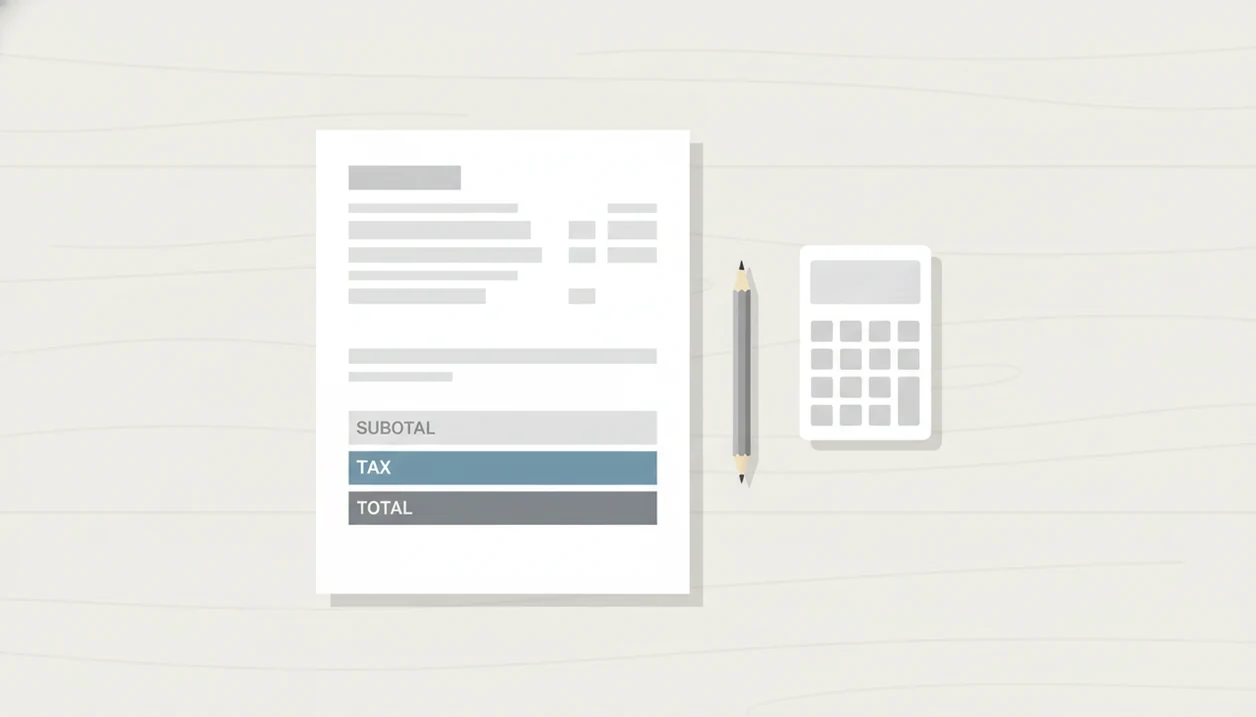
A tax line on invoice usually appears below the subtotal and above the grand total, labeled with the tax type, rate, and amount when those details are required. The exact wording and disclosure rules depend on the tax system, such as VAT, GST/HST, or sales tax, so businesses should confirm requirements with official tax guidance rather than relying on a template alone.
A tax line on an invoice is the invoice section that shows the tax charged on taxable goods or services, commonly labeled as sales tax, VAT, GST, HST, or another jurisdiction-specific tax.
- Place the tax line near the invoice totals: after subtotal and before the final amount due.
- Label the tax clearly with the tax type, rate, and amount when your jurisdiction requires it.
- Invoice software can display configured tax amounts, but it does not decide whether you must charge tax.
Tax Line On Invoice Placement Below Subtotal And Above Total
The common placement for a tax line is below the subtotal and above the final total due. That location lets the client see the untaxed amount, the added tax, and the amount they actually need to pay.
Use a plain label such as Sales Tax, VAT, GST, HST, or GST/HST. If your rules require it, include the rate beside the label, such as “VAT 20%” or “GST 5%.” On a small service invoice, this is usually easier to read than hiding tax inside a notes field.
Official jurisdiction rules control the required invoice details. A clean layout helps, but layout is not compliance by itself. Invoice tools can support invoice creation and configured tax display, but they do not provide tax advice.
The unpaid job circled on a notebook is not the time to guess a tax rate.
Five Facts About VAT Invoice Lines And Sales Tax Lines
- A tax line is usually shown below the subtotal and above the grand total, so the payment amount is easy to verify.
- Line items can be marked taxable even when the customer-facing invoice shows one combined tax line near the totals.
- VAT and GST/HST invoices may require details such as a seller registration number, tax rate, taxable amount, and total tax.
- Some jurisdictions allow one combined tax line, while others expect separate tax lines for different rates, authorities, or tax types.
- Invoice apps apply the tax settings the user enters, but they do not guarantee that the chosen rate or label is legally correct.
For a contractor using a professional invoice template for services, the practical habit is simple: keep the service lines clear, then make the tax section predictable. A client should not have to hunt for the tax amount between materials, labor, and notes.
How A Tax Line On Invoice Works
A tax line on invoice works by separating the invoice subtotal from the tax added to taxable sales, then showing the final total due. The basic pieces are the subtotal before tax, the taxable base, the tax rate, the tax amount, and the total the customer must pay.
In practice, taxable line items feed the taxable base, while non-taxable items stay in the subtotal but do not create tax. A $500 taxable repair and a $50 non-taxable reimbursement may produce tax only on the $500, depending on local rules. Some invoices show one combined tax line near the totals; others split tax by rate, authority, or tax type, such as state and local sales tax or standard-rate and reduced-rate VAT. The split matters when more than one rate applies or when the jurisdiction expects separate disclosure.
The usual flow is:
- Add the invoice line items to get the subtotal.
- Identify which amounts are taxable and build the taxable base.
- Apply the correct tax rate to calculate the tax amount.
- Round the tax according to the invoice or jurisdiction method.
- Add tax to the subtotal, unless prices are tax-inclusive and the tax is backed out for display.
Tax-inclusive pricing and required wording can change the label, so check local invoice rules before sending.
Tax Line Calculation For Taxable Invoice Items
A tax line is calculated by applying the selected tax rate to the invoice amounts marked as taxable, then adding that tax to the subtotal to produce the grand total.
Here is how tax line calculation works. Each line item is treated as taxable or non-taxable. The software or spreadsheet totals the taxable items, applies the configured rate, rounds the result, and displays the tax amount near the invoice totals. In plain terms, only the items you mark as taxable should feed the tax number.
The invoice may show one combined tax line or separate tax lines for VAT, GST, HST, state tax, local tax, or multiple rates. Either way, the relationship should stay visible: subtotal plus tax equals total due.
Rounding matters. So does naming. If one PDF says “VAT” and the next says “Tax,” your bookkeeper may need extra time to match records later.
VAT, GST/HST, And U.S. Sales Tax Invoice Differences
VAT, GST/HST, and U.S. sales tax are different tax systems, so their invoice tax-line rules should not be treated as interchangeable. The same invoice layout can look fine and still miss a required disclosure.
| Tax system | Common invoice tax-line disclosures | Practical note |
|---|---|---|
| EU VAT | VAT rate, VAT amount, taxable base, and seller VAT details where required | EU guidance says VAT often makes up about 20% of the final consumer price, with standard rates in most Member States ranging from 17% to 27%. Source: European Commission VAT rates, https://taxation-customs.ec.europa.eu/taxation/vat/vat-rules-and-rates/vat-rates_en. |
| Canada GST/HST | GST or HST rate, amount charged, and supplier registration details where required | Canada’s GST is 5%, while HST in participating provinces is generally 13% to 15%. Source: Canada Revenue Agency GST/HST rates, https://www.canada.ca/en/revenue-agency/services/tax/businesses/topics/gst-hst-businesses/charge-collect-which-rate.html. |
| U.S. sales tax | Sales tax rate or amount, depending on state and local rules | As of 2023, 45 U.S. states plus D.C. impose a statewide sales tax. Source: Tax Foundation 2023 sales tax data, https://taxfoundation.org/data/all/state/2023-sales-taxes/. |
| UK VAT | VAT rate and total VAT amount for most taxable supplies to VAT-registered customers | UK rules require VAT invoice details for many VAT-registered business transactions. |
A PDF invoice maker app can preserve the tax line exactly as sent, which helps when a client later asks for the original copy.
Tax Line Software Boundaries For Freelancers
Invoice Maker Teo is an invoice maker app that creates invoices, estimates, PDFs, reminders, and payment tracking for freelancers and small businesses. It can help a user build an invoice, add line items, export a PDF copy, and track whether the invoice is unpaid, paid, or overdue.
Configurable tax display is not personalized tax advice. The app can show a tax amount based on settings the user chooses, but the user remains responsible for registration status, tax rate selection, exemptions, invoice wording, and filing obligations.
Good invoice maker app for freelancers and small businesses to create, send, and track invoices and estimates should deliver clear billing workflow, not a private tax ruling.
For field service and freelance work, that boundary matters. The phone charger stretched across the dashboard might keep the invoice moving, but official tax decisions still belong outside the app.
Four Common Myths About Tax Lines On Invoices
Myth 1: Tax must always appear beside each line item. Many systems calculate tax at the line-item level but display one combined tax line near the totals.
Myth 2: Tax-inclusive pricing means no tax disclosure is needed. Some tax authorities still require the tax rate, tax amount, or tax-inclusive wording on a valid tax invoice.
Myth 3: Invoice apps choose the correct tax rules automatically. Apps usually apply user-configured rates. They do not know every exemption, threshold, registration rule, or cross-border treatment.
Myth 4: VAT, GST/HST, and sales tax use the same invoice rules. They do not. Similar-looking tax lines can carry different legal meanings.
For freelancers, one practical safeguard is to keep a saved tax label consistent inside an invoice template app. Then check official tax authority instructions before changing rates or wording.
Official GST/HST And VAT Invoice Tax Line Rules
“Does tax-line placement make my invoice compliant?” No. Tax-line placement alone does not create compliance; it only makes the invoice easier to read and reconcile.
Official GST/HST and VAT invoice rules may require a seller registration number, customer details, invoice date, invoice number, tax rate, taxable amount, total tax amount, and specific wording. Cross-border sales can add reverse charge language, zero-rated treatment, exemption notes, or multi-currency reporting issues. Small wording changes can matter.
How to use a tax line safely:
- Confirm your registration status with the relevant tax authority.
- Choose the tax type and rate from official guidance, not from an old invoice.
- Mark taxable and non-taxable items before sending the invoice.
- Label the tax line consistently for bookkeeping and audit trails.
- Export or save a PDF copy after the final review.
When you send PDF invoice by email, that final PDF becomes the version clients and bookkeepers usually rely on.
When To Check With A Tax Professional Or Tax Authority
Check with a tax professional or the relevant tax authority whenever the invoice decision affects whether you must register, what tax you charge, or what wording makes the invoice valid. A template can keep the totals tidy, but it cannot settle a tax position.
Use official guidance for registration thresholds, exemptions, place-of-supply rules, and cross-border sales before you rely on a rate or omit a tax line. Ask for professional advice before changing a saved rate, swapping “VAT” for a generic “Tax” label, or adding tax-inclusive wording that changes how the price is understood.
A simple escalation habit can prevent repeat mistakes:
- Check the official rule for the customer location, product or service, registration status, and invoice type.
- Escalate invoices with multiple rates, multiple currencies, marketplace involvement, reverse-charge treatment, exemptions, or zero-rated sales.
- Ask a qualified tax professional to review any wording or rate change you are unsure about before sending.
- Document the source used for each tax-rate, exemption, and invoice-wording decision, including the date reviewed.
That note can save time when a bookkeeper asks why one invoice looks different from the last.
How To Use A Tax Line On An Invoice
Use a tax line on an invoice by confirming that you are allowed or required to charge the tax, then showing the correct label, rate, and amount near the totals. Treat the tax line as a final disclosure step, not a guess added after the invoice is already finished.
- Confirm your registration status before charging VAT, GST/HST, sales tax, or another transaction tax. If you are not registered or the sale is exempt, the invoice may need different wording instead of a tax amount.
- Select the official tax type, rate, and label for the sale. Use the wording your jurisdiction expects, such as VAT, GST, HST, GST/HST, or Sales Tax with the applicable percentage.
- Mark each invoice item as taxable or non-taxable before calculating totals. This keeps reimbursements, exempt services, and taxable work from being mixed together by accident.
- Review the tax line placement, amount, label, invoice number, date, seller details, and customer details before sending.
- Save the final PDF copy for bookkeeping, client records, payment follow-up, and later tax review.
Limitations
A correctly placed tax line does not guarantee tax compliance. It only shows the tax amount in a readable place on the invoice.
- Invoice software cannot provide personalized tax, legal, or accounting advice.
- Some templates cannot show per-line tax, multiple tax rates, or concurrent tax authorities.
- Tax rates, thresholds, registration rules, and invoice wording requirements change over time.
- Cross-border transactions may need reverse charge notes, zero-rated wording, or special currency treatment.
- Users remain responsible for registration, rate selection, exemptions, collection, filing, and recordkeeping.
- Tax-inclusive pricing may still require a visible rate or tax amount in some jurisdictions.
- A copied invoice can carry forward yesterday’s due date, old tax label, or outdated rate.
Small errors travel far. A client name spelled two ways can already slow payment; a wrong tax label can slow bookkeeping too.
FAQ
Where does tax go on an invoice?
Tax commonly appears below the subtotal and above the final total due. This placement shows the untaxed amount, tax amount, and grand total in order.
What is a VAT line on an invoice?
A VAT line on an invoice shows the VAT rate and VAT amount charged on taxable goods or services. VAT invoices may also need registration numbers and other details under local rules.
What is GST/HST tax on an invoice?
GST/HST tax on an invoice refers to Canadian goods and services tax or harmonized sales tax charged on taxable sales. Businesses should check Canada Revenue Agency rules for when and how it must appear.
Can invoice tax be shown as one line?
Yes, invoice tax can sometimes be shown as one combined line. Some jurisdictions or tax situations may require separate lines by rate, tax type, or authority.
Should tax show beside each invoice item?
Tax does not always need to show beside each invoice item. Many systems mark items as taxable internally and display one combined tax line near the totals.
Do tax-inclusive prices still need a tax line?
Tax-inclusive prices may still need tax rate or tax amount disclosure. The requirement depends on the jurisdiction and the type of tax invoice being issued.
Who chooses the tax rate on an invoice?
The business user chooses the tax rate based on official rules for their location, customer, product, or service. Invoice Maker Teo can apply configured settings but does not determine the correct rate.
Can invoice apps give tax advice?
Invoice apps can help calculate and display tax based on user settings. They cannot provide personalized tax advice or confirm legal compliance.
How should sales tax be labeled on an invoice?
Sales tax should be labeled clearly with the tax type, rate, and amount when required. A label such as “Sales Tax 7.25%” is usually clearer than a generic “Tax” line.