
Export Invoice Records For Bookkeepers And Backups
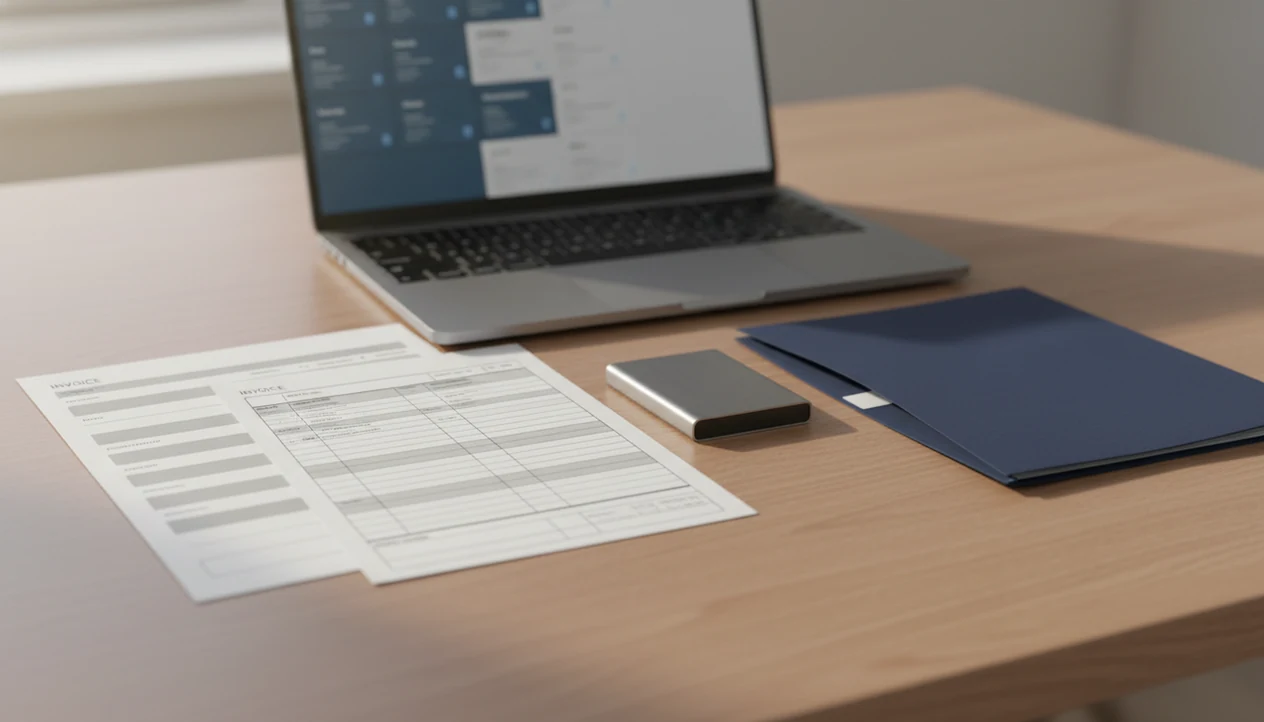
Export invoice records when you need a clean bookkeeping handoff, tax archive, or backup copy of your invoicing history outside your app. A useful export should include invoice PDFs plus a structured CSV or Excel file with invoice numbers, dates, clients, totals, taxes, currencies, and paid status.
> Definition: Export invoice records are downloaded copies of your invoice data and invoice documents, usually saved as PDFs and CSV or Excel files for bookkeeping, tax records, audits, software moves, and backups.
- Bookkeepers usually need both invoice PDFs and a structured invoice export for bookkeeper use, not just screenshots or individual email attachments.
- A complete export should include invoice number, issue date, due date, client, line items, subtotal, tax, discount, total, currency, paid status, and payment date.
- Backup invoices in at least two places, such as cloud storage and an external drive, and keep them for the retention period required in your country.
Export Invoice Records At A Glance
- Invoice records should be exported as both readable PDF copies and structured CSV or Excel data whenever the app allows it.
- The main reasons to export are bookkeeper handoff, tax filing, audit support, business history, app backup, and switching invoicing software.
- Incomplete exports create real bookkeeping friction. A 2022 ACCA and Corporate Finance Network survey found that 58% of small accountancy firms said incomplete or delayed client records were a major barrier to timely accounts preparation source.
- Exporting invoices is not the same as filing taxes, preparing financial statements, or replacing accounting software.
- For freelancers and small businesses, a clean invoice export is often easier than sending scattered attachments because it gives the bookkeeper one date-bounded record set.
The small problems show up fast. A missing invoice number, yesterday’s copied due date, or a client name spelled two ways can turn a simple quarter-end handoff into a question thread.
How Export Invoice Records Work In An Invoice Maker App
Invoice maker apps store invoice records as structured fields, then turn those fields into documents and export files. The same record can produce a PDF copy for a client and a CSV or Excel row for bookkeeping.
A typical mobile invoice workflow stores the invoice number, client record, issue date, due date, line items, tax, currency, total, notes, and payment status. The PDF is the human-readable invoice copy, often with a logo at the top and tax line below the subtotal. The CSV or Excel export is better for sorting, importing, and reconciliation.
Payment tracking matters because “sent” and “paid” are different records. If the export includes paid status and payment date, the bookkeeper can match invoices to deposits without asking you to search Gmail.
Invoice Maker Teo is a mobile invoice maker app for freelancers and small businesses to create invoices, send PDFs, track payment status, and manage invoice records. Good invoice maker apps for freelancers and small businesses create, send, and track invoices and estimates, not payroll, enterprise accounting, or formal tax compliance determinations.
Invoice Export Requirements Before You Send Records To A Bookkeeper
Before sending invoice records to a bookkeeper, confirm the reporting period, file format, tax basis, and delivery method. A five-minute check can prevent a half-day of rework.
- Date range: Ask whether the bookkeeper needs a month, quarter, calendar year, tax year, or custom project period.
- Export format: Confirm whether they prefer CSV, Excel, PDFs, ZIP folders, or a combination.
- Tax basis: Clarify whether they are reviewing invoice issue dates, payment dates, or another accounting method.
- Required fields: Include invoice number, client, issue date, due date, line items, tax totals, currency, amount due, paid status, and payment date.
- Cleanup items: Fix inconsistent client names, invoice numbering gaps, unclear tax labels, and mixed currencies before export.
Structured exports reduce retyping and reconciliation errors because each invoice field lands in its own column. McKinsey reported in 2021 that finance teams were increasing automation of manual finance work, including invoicing and records handling source. That same logic applies to small shops too. Formula error glowing red at night? Better to send clean rows.
How To Use Export Invoice Records For Bookkeeper Handoff
Use export invoice records by sending one organized package with source invoice PDFs and a structured data file. Avoid text-message handoffs and random email attachments for a full reporting period.
- Set the reporting period before exporting, such as January 1 to March 31 for Q1.
- Review invoice details for invoice numbers, client names, tax labels, totals, currencies, and paid status.
- Export CSV or Excel so the bookkeeper can sort, import, and reconcile invoice data.
- Download invoice PDFs because bookkeepers may need source documents, not only summary rows.
- Name and organize files with labels like `invoices-2025-q1-csv` and `invoice-pdfs-2025-q1`.
- Share securely through a private cloud folder, secure portal, or encrypted transfer method.
A private folder also makes the resend simple when a bookkeeper says, “Can you send the invoice PDFs too?” For file-sharing precautions, the same habits covered in email invoice safety apply to bookkeeping exports.
Step 1: Choose The Date Range For Your Invoice Export
What date range should I choose before I export invoice records? Choose the exact reporting period your bookkeeper needs, then state whether the export is based on issue date, due date, or payment date.
Common export periods include monthly, quarterly, annual, tax year, project period, or a custom range requested by the bookkeeper. A designer closing a milestone might export one project folder, while a cleaner with repeat apartment jobs may export every Tuesday recurring customer invoice for the quarter.
Do not mix periods casually. If January invoices are selected by issue date but payments are reviewed by March deposit date, revenue can look missing or duplicated. Year-end invoices, late payments, and partially paid invoices need extra care because they often sit between two reporting periods.
Put the period in the file name and the message body. For example: “Attached is `invoices-2025-q1-csv`, based on invoice issue date, plus Q1 invoice PDFs.”
Step 2: Review Invoice Records For Missing Bookkeeping Fields
- Check every invoice number, client name, issue date, due date, tax rate, total, currency, and payment status before exporting.
- Missing tax totals or blank paid status fields usually create follow-up questions for the bookkeeper.
- Duplicate invoice numbers, inconsistent client names, and blank line-item descriptions should be fixed before the export.
- Invoice exports are only as accurate as the data entered in the app.
- International clients need consistent currency labels, and sometimes separate tax or VAT notes.
The most common cleanup is boring but important. “Acme Ltd,” “ACME Limited,” and “Acme” may be the same client to you, but they can become three records in a spreadsheet.
Small mess, bigger delay.
Open one recent paid invoice, one unpaid invoice, and one older invoice before exporting. That quick sample usually catches copied due dates, missing descriptions, or a tax line that was turned off by mistake.
Step 3: Export Invoice PDFs And CSV Or Excel Files
Export invoice PDFs for readable source documents and CSV or Excel files for bookkeeping data. PDF-only exports can force a bookkeeper to retype invoice details.
| Format | Best use | Bookkeeping limitation |
|---|---|---|
| Human-readable invoice copy with logo, line items, tax, and notes | Harder to import or reconcile in bulk | |
| CSV | Simple structured data for spreadsheets and accounting imports | May lose formatting, formulas, or attached files |
| Excel | Structured export with columns, filters, and worksheet labels | Can be edited accidentally if not protected |
| ZIP folder | Bundling many PDFs or export files together | Needs clear file names inside the folder |
People often search for “export invoice records PDF” when they need source invoice copies. They search for “export invoice records Excel” when the bookkeeper wants rows and columns.
Export both formats when available. Tools like Invoice Maker Teo, FreshBooks, Wave, Zoho Invoice, and Invoice2go all approach export workflows differently, so check what each app includes before relying on the file.
For Invoice Maker Teo specifically, check that the exported file includes invoice number, client, issue date, total, currency, tax, and paid status before you send it. If one of those fields is missing, add a short note for the bookkeeper instead of assuming the PDF will explain it.
Step 4: Organize Backup Invoices For Long-Term Storage
Keep backup invoices in at least two places, such as a cloud drive and an external drive. Do not delete your own copies after sending files to an accountant.
Use folders that someone else could understand without calling you. Good structures include `Invoices / 2025 / Q1`, `Invoices / 2025 / Client Name`, or `Tax Records / 2025 / Sales Invoices`. If you work across countries, add a folder for VAT, GST, customs, or export documentation.
Security matters here. Limit folder access, avoid public links, and use encrypted storage where available. Be careful with password sharing; a password sent in the same email as the export is not much protection. For app-level storage questions, read the invoice app privacy guide before sharing client records.
Backups protect you from phone loss, app changes, account lockouts, audits, and switching invoicing providers. The printer tray jam before mailing is annoying. Losing the only copy is worse.
Step 5: Verify Exported Invoice Records Against Payments
Verify exported invoice records by comparing invoice totals with payment records, bank deposits, app payment status, and outstanding balances. This is the practical final check before archiving the export.
Look for unpaid, overdue, partially paid, voided, refunded, duplicate, and cancelled invoices. An invoice marked paid in the app should have a matching payment date or deposit trail. An overdue invoice should still appear in the export, not vanish because no payment came in.
Make a short handoff note for exceptions. It can be plain: “Invoice 1042 partially paid on March 28,” or “Invoice 1051 voided and replaced by 1052.” A freelancer checking unpaid status on a phone after a client says, “Can you resend that invoice?” knows why this matters.
Verification helps before tax filing or financial statement preparation because the bookkeeper is not guessing which invoices became cash.
Common Invoice Export Mistakes That Delay Bookkeeping
- PDF-only exports: Send CSV or Excel too, because PDFs are source copies, not efficient bookkeeping data.
- Missing paid status: Include unpaid, paid, overdue, partial, refunded, voided, and cancelled statuses where possible.
- Incomplete date ranges: Match the bookkeeper’s requested period and label it in the file name.
- Inconsistent invoice numbering: Fix skipped, duplicated, or manually edited invoice numbers before export.
- Wrong tax settings or scattered delivery: Check tax labels and send one organized package, not screenshots or message threads.
Screenshots are not a proper invoice export for bookkeeper use. They cannot be imported cleanly, searched reliably, or reconciled without manual work.
Delayed or incomplete records are a known accounting bottleneck. In the ACCA and Corporate Finance Network survey, 58% of small accountancy firms reported incomplete or delayed client records as a major barrier to timely accounts preparation source.
Don’t assume the app copy is the only backup needed. Export, verify, store, then keep the next invoice easy.
Record Retention Rules For Exported Invoice Records
Record retention rules vary by country and business situation, so confirm local requirements with a qualified professional. Invoice exports can support tax returns, audits, VAT or GST checks, and historical business records, but they are not legal advice.
| Jurisdiction or rule area | General retention point | Practical invoice export note |
|---|---|---|
| United States, IRS | Records are generally kept at least 3 years, and 7 years in certain cases such as bad debt claims source | Keep invoices and receipts as long as needed to prove income or deductions |
| United Kingdom, HMRC | Company records including invoices are generally kept at least 6 years after the relevant financial year source | Store invoice PDFs and exports by financial year |
| European Union VAT | Certain electronic services and cross-border VAT records may need at least 10 years | Keep currency, VAT, customer, and transaction details together |
For many small businesses, exporting invoices annually is not enough. Monthly or quarterly backups reduce the scramble when a tax deadline, audit letter, or accountant request appears.
Limitations
Exported invoice records are useful, but they do not turn invoicing data into complete tax or accounting records by themselves.
- Exporting invoice records does not guarantee tax compliance.
- Exports are only as accurate as the data entered in the invoice maker app.
- Some apps offer invoice PDFs but not structured CSV or Excel exports.
- A bookkeeper may still need bank statements, receipts, expense records, payment processor reports, and tax registrations.
- Exports may not preserve every attachment, edit history, reminder log, or delivery event.
- International sales may require commercial invoice, customs, VAT, GST, or proof-of-export documents beyond ordinary invoice backups.
- Retention periods vary by jurisdiction and should be confirmed with a qualified tax or accounting professional.
- A secure export still needs careful sharing. The broader risks are covered in prevent invoice fraud.
There’s also a human limit. If a line item was vague when you created the invoice, the export will repeat that vagueness neatly.
FAQ
What are invoice records?
Invoice records are the stored invoice data and documents created by a business, including invoice numbers, dates, clients, totals, taxes, payment status, and PDF invoice copies.
How do I export invoices?
Select the date range, review the invoice details, then download invoice PDFs and a CSV or Excel export if your app supports it. Apps such as Invoice Maker Teo may also help keep payment status with the invoice record.
What should a bookkeeper receive?
A bookkeeper usually needs invoice PDFs plus a structured file with invoice number, client, issue date, due date, line items, tax totals, currency, amount due, paid status, and payment date.
Are invoice PDFs enough?
Invoice PDFs are useful source documents, but structured CSV or Excel exports are usually better for bookkeeping. PDF-only exports often require manual retyping.
How often should I export invoices?
Many small businesses export invoices monthly, quarterly, annually, or whenever their bookkeeper requests a period. More frequent exports make backup invoices easier to maintain.
How long should invoices be kept?
Invoice retention depends on local tax rules and business circumstances. Many businesses keep invoices for multiple years and confirm exact periods with a qualified professional.
Can I export unpaid invoices?
Yes, unpaid, overdue, and partially paid invoices should be included when they belong to the reporting period. The export should show status and payment date where available.
Where should I back up invoices?
Back up invoices in secure redundant storage, such as a private cloud folder plus an external drive. Invoice Maker Teo can support invoice creation, PDFs, reminders, and payment tracking, but you should still keep independent backups.