
Prevent Invoice Fraud When Sending PDFs and Payment Details
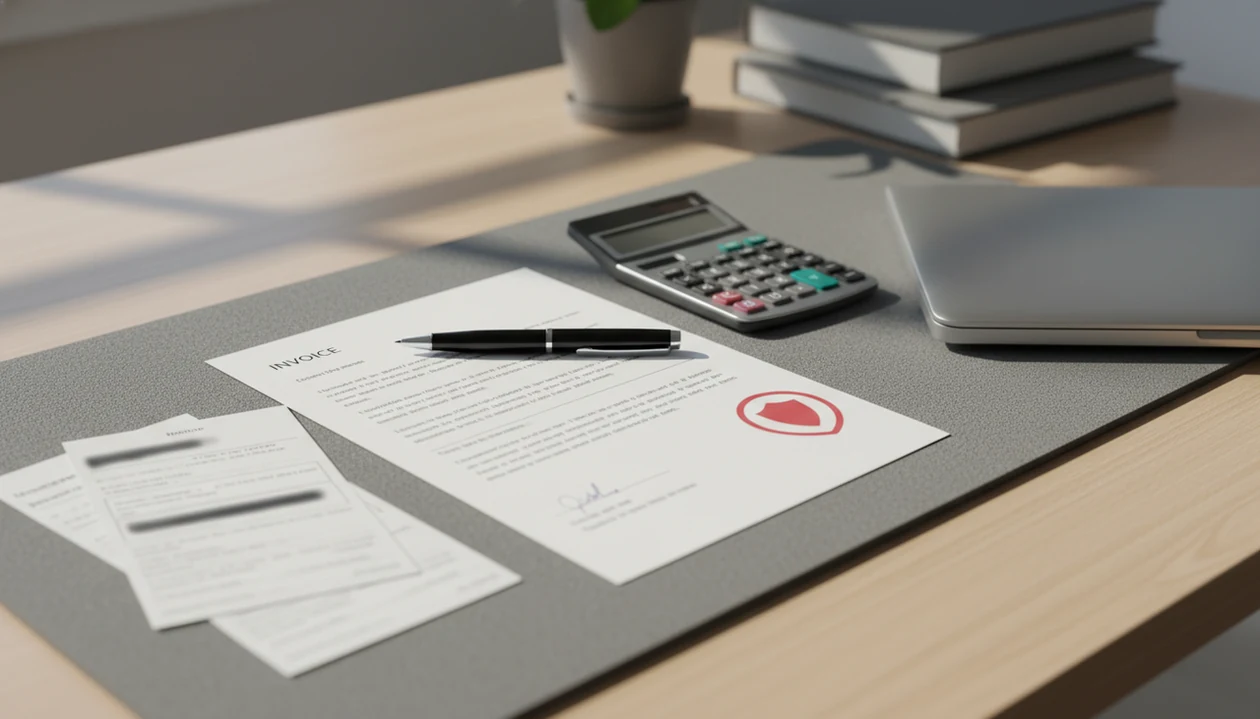
To prevent invoice fraud, use consistent sender details, verify every payment-detail change through a trusted channel, protect email and app accounts, and review invoices before money moves. Small businesses should treat urgent payment requests, new bank accounts, and unusual invoice patterns as warning signs until independently confirmed.
Invoice fraud prevention means using identity checks, payment-change verification, invoice matching, secure delivery, and review habits to stop fake invoices or altered payment details from causing mistaken payments.
- Verify bank-detail changes by calling a known number, not by replying to the same email thread.
- Match invoices against real work, orders, estimates, delivery records, or written approvals before paying.
- Use consistent invoice templates, saved client/vendor profiles, secure accounts, and monthly reviews to spot unusual changes.
Invoice Fraud Prevention Checklist for Small Businesses
Invoice fraud usually means a fake invoice, or a real invoice with changed payment details, gets paid by mistake. The core rule is simple: do not pay until identity, work, amount, and bank details are verified.
For a small team, that can be lightweight. Check the sender, compare the invoice number and line items to real work, confirm the due date, and verify any new bank account outside the message that requested it. A freelancer with a contract tab open beside the total can still use the same control: pause before sending money.
Invoicing software can help by keeping PDF layout, client details, estimates, reminders, and payment status consistent, but it should not replace a separate payment-change check.
Five Facts About Fake Invoice Protection
- Invoice fraud is often social engineering, not just document forgery; the scam works because the request feels routine, urgent, or familiar.
- Real supplier accounts and email threads can be compromised, so a known name in the inbox is not enough proof.
- Bank-detail changes are one of the highest-risk moments because one altered account number can redirect the full payment.
- Three-way matching and dual approval can be adapted for small businesses by comparing the invoice, approved work, and completion proof before payment.
- No app removes the need for human review and verification; software can organize records, but people still confirm identity and intent.
A polished PDF can still be fake.
For small businesses, fake invoice protection is usually easier when every invoice has the same review path because odd details stand out faster.
Invoice Fraud Tactics Behind Fake Payment Requests
How invoice fraud works: attackers use trust signals to make a payment request look normal, then change where the money goes. Common tactics include supplier impersonation, fake vendors, compromised inboxes, and lookalike domains that differ by one letter.
The technical term is business email compromise. In plain English, someone gets into or imitates an email account and uses that access to influence payment. The FBI’s Internet Crime Complaint Center recorded 21,489 BEC and email account compromise complaints in 2023, with reported losses above $2.9 billion source.
Replying inside the same thread can be unsafe because the attacker may already control that thread. The payment redirection pattern is usually urgency, authority, secrecy, and changed bank details. “Can you pay this today?” deserves a pause, especially when the bank account is new.
Sender Details That Reduce Invoice Fraud Risk
Consistent sender details help clients recognize legitimate invoices and question unusual ones. Use the same business name, email address, logo, phone number, address, and tax or registration details where relevant.
Avoid changing payment instructions casually across invoices. If a bank account must change, treat it as a formal exception, not a note buried under the subtotal. Keep invoice numbers consistent too, because gaps and duplicates make review harder.
A clean PDF matters here. Logo at the top, tax line below the subtotal, payment terms in the notes field. Saved client profiles and invoice history can make unexpected name, email, or payment-status changes easier to notice before the next PDF copy goes out.
Payment Detail Checks for Invoice Fraud Prevention
Should you verify invoice bank-detail changes before paying? Yes, every new or changed bank detail should be confirmed through a trusted channel already on file, not through the message that requested the change.
Verify bank changes out of band
Call a known number, use a saved vendor portal, or ask through a previously verified contact. Do not use the phone number printed on the suspicious invoice until it is checked against your records.
Match the invoice to real work
Use a small-business version of three-way matching: invoice, approved estimate or work order, and proof of delivery or completion. Paint swatches spread on a porch rail may start as an estimate, but the paid invoice should still match the approved job.
How to use invoice fraud prevention in a small workflow:
- Save trusted vendor or client details before payment is due.
- Compare each invoice with approved work, amount, and completion proof.
- Verify bank changes through a known channel.
- Require a second approval for high-value or unusual payments.
- Record the payment status after money moves.
For high-risk payments, dual approval is often safer than speed because a second person can catch a changed recipient or account number.
Email and Messenger Habits That Stop Fake Invoice Emails
Fake invoice emails often push urgency, secrecy, or pressure. Slow down when a message says the payment must happen today, asks you not to involve someone else, or changes instructions at the last minute.
Check sender domains, display names, attachment names, and payment instructions. A message may look clean in Gmail, Outlook, WhatsApp, or Messages, but the account number can still be wrong. The full delivery risks are covered in our email invoice safety guide.
Use multi-factor authentication on email and invoicing accounts. CISA recommends multi-factor authentication as a core defense against phishing and account takeover, especially for email and business systems: source. Avoid sending sensitive payment changes through unsecured or unfamiliar channels, especially after a client says, “Can you resend that invoice?” and you’re checking unpaid status on your phone. For mobile delivery, messenger invoice safety deserves the same attention as email.
Common Myths About Invoice Fraud Prevention
Myth: a familiar email thread means the invoice is safe. A real thread can be hijacked, so confirm payment changes outside that thread.
Myth: freelancers are too small to be targeted. Smaller operations often have fewer approval steps, which makes a quick fake invoice easier to slip through.
Myth: invoice software alone prevents fraud. An app can keep records clear, but it cannot know whether a bank change is legitimate unless someone verifies it.
Myth: fake invoices always have obvious spelling mistakes or bad logos. Many fake invoices look polished and only differ in the sender domain, payment instructions, or vendor contact.
Not dramatic. Just expensive.
The practical correction is to build habits around every payment: verify identity, match the work, review the amount, and question changes before the money leaves.
Monthly Invoice Review for Fake Invoice Protection
A monthly invoice review helps detect patterns that one busy payment run can miss. Review unusual invoice frequency, timing, amounts, currencies, and recipients.
Compare current invoices with saved client or vendor history. Flag sudden bank-account changes, new contacts, changed email domains, or invoice numbers that do not fit the sequence. Searching last year’s customer tab in a spreadsheet is slow; a saved client record makes the comparison easier.
Use payment tracking and reminders carefully. Chasing overdue payments should not create inconsistent payment details across email, PDF, and message threads. Keep the focus on invoice and estimate workflows, not broad accounting or ERP. If account security is part of the review, our secure invoice maker app guide explains the app-side basics.
When to Contact Your Bank or a Fraud Professional
Contact your bank as soon as you suspect a payment was sent to the wrong account or redirected by fraud. Speed matters because recall options, account freezes, and chargeback paths can depend on how quickly the issue is reported.
Work from records, not memory. Keep the invoice PDF, email thread, full headers if available, text or messenger screenshots, call logs, payment confirmations, and any notes about who approved the payment.
- Call your bank using the number on your statement or banking app, and explain that the payment may be fraudulent or misdirected.
- Preserve the evidence before editing, deleting, forwarding, or renaming files.
- Report suspected business email compromise to IC3 in the United States, or to the relevant cybercrime or fraud authority where you operate.
- Notify the real supplier or client through a previously verified phone number, portal, or contact already in your records.
- Seek legal, insurance, or digital forensics help when the loss is large, accounts were compromised, or customer data may be involved.
The goal is recovery first, then containment.
Limitations
Invoice fraud controls reduce risk, but they cannot guarantee that every fake request is caught. Treat them as practical safeguards, not a legal, banking, or forensic investigation system.
- Highly targeted attacks using compromised real accounts may bypass simple sender checks.
- Manual verification can slow down payments, especially when a supplier is hard to reach.
- Controls only work when people follow them consistently.
- Automation depends on correct setup, permissions, notifications, and alert handling.
- One-time training is not enough because fraud tactics change.
- Deepfake calls and AI-written messages can make red flags harder to spot.
- Invoice software can support invoice creation, PDFs, reminders, estimates, and payment tracking, but it does not replace bank verification or legal advice.
- If card payments are involved, review PCI compliance for invoice payments separately.
The safest routine is verification plus records: confirm the change, keep the proof, and update the client or vendor file only after approval.
FAQ
What is invoice fraud?
Invoice fraud is a scam where a fake invoice or altered payment detail tricks someone into paying the wrong party. It can involve fake vendors, impersonated suppliers, or changed bank accounts.
How do fake invoices work?
Fake invoices usually combine impersonation, urgency, believable invoice details, and redirected payment instructions. The goal is to make the payment feel routine before anyone verifies it.
How can I spot invoice fraud before paying?
Warning signs include new bank details, unusual sender domains, unexpected invoices, urgent pressure, mismatched amounts, and records that do not match approved work. Any payment change should be treated as an exception.
Are email invoices safe to pay?
Email invoices can be safe when accounts are secured and payment details match verified records. New payment instructions should be confirmed through a trusted channel before payment.
Should I verify invoice bank-detail changes?
Yes, every invoice bank-detail change should be verified through a known phone number or trusted channel already on file. Do not rely on replying to the same email thread.
Can freelancers be targeted by invoice fraud?
Yes, freelancers can be targeted because small operations often have fewer approval controls. A second review for unusual or high-value payments can reduce risk.
What is three-way matching for invoices?
Three-way matching means comparing the invoice, the approved order or estimate, and proof that the work or goods were received. Small businesses can use the same idea without enterprise accounting software.
What should I do if I paid a fake invoice?
Contact your bank immediately, preserve emails and payment records, warn affected parties, and report the incident to the relevant fraud authority. Do not delete the thread or attachments.