
Small Business Invoice Success Stories And Workflow Lessons
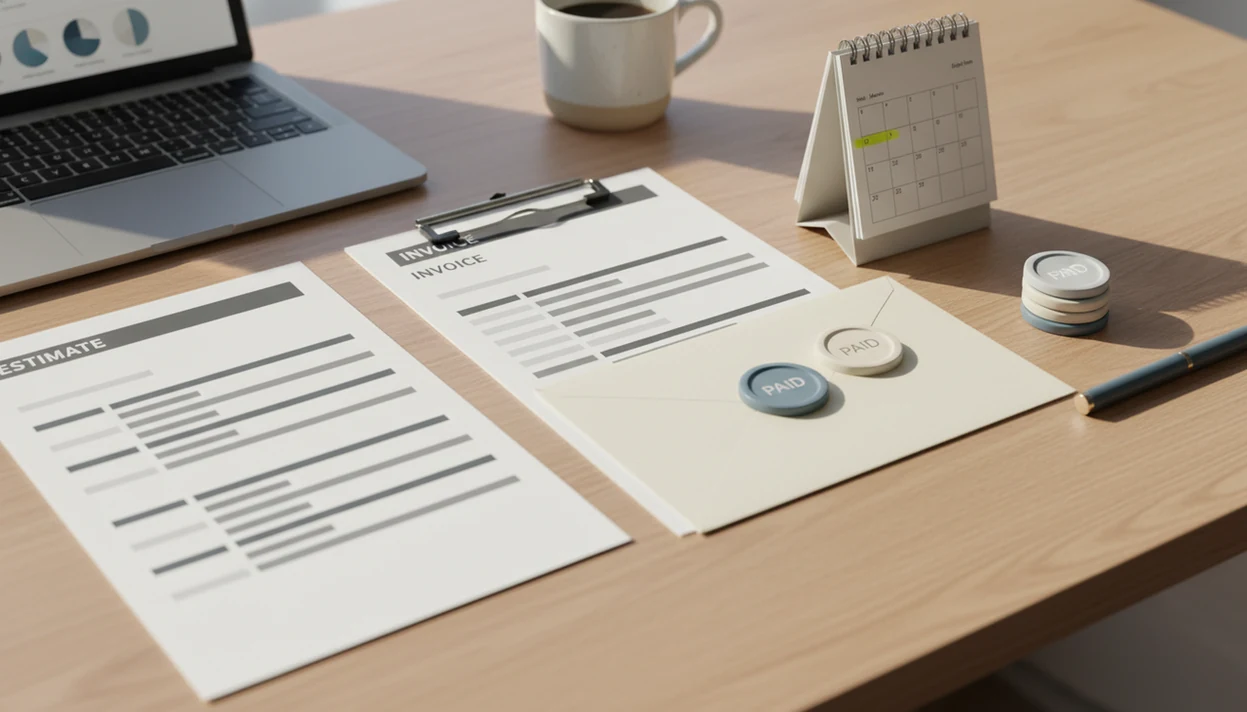
For owners, small business invoice success stories show a repeatable pattern: clearer invoices sent sooner, defined payment terms, visible status tracking, and consistent follow-up. The strongest lessons come from before-and-after workflow changes, not from the invoice template alone.
> Invoice Maker Teo is an invoice maker app that creates invoices, estimates, PDFs, reminders, and payment tracking for freelancers and small businesses.
- The best invoice workflow stories start before the invoice, with clearer estimates and approved scope.
- Fast billing depends on prompt sending, visible due dates, itemized work, and repeatable reminders.
- Invoice apps help most when they centralize PDFs, client records, payment status, and follow-up history.
At-a-glance small business invoice success stories
Small business invoice success stories usually show one practical shift: the owner stops treating billing as a last-minute document task and starts treating it as a workflow. These anonymized scenario stories are based on common small business billing examples we see across freelance, service, and small team work.
| Story type | Billing problem | Workflow change | Outcome metric to watch |
|---|---|---|---|
| Freelance designer | Scope questions after delivery | Approved estimate becomes the invoice PDF | Fewer disputed line items |
| Mobile service provider | Follow-ups forgotten between jobs | Same-day invoice plus overdue reminder | Fewer unpaid jobs aging unnoticed |
| Micro-agency | Status scattered across sheets and inboxes | Weekly unpaid-invoice review | Lower days to payment |
The pattern is plain. Estimates, invoice PDFs, reminders, and payment tracking work better when they become habits, not one-off fixes after a client asks for another copy.
How these small business invoice stories were built
These stories were built as anonymized composites, not guaranteed customer case studies. They combine common billing patterns into realistic scenarios so the workflow lesson is clear without presenting one business’s private results as proof.
The examples focus on signals that can usually be seen inside a small invoicing process: estimates created before work starts, due dates shown on invoices, reminders sent after a missed date, and payment status changing from sent to paid, overdue, partial, or disputed. Those signals support two kinds of outcomes. Some are observable habits, such as sending the invoice the same day, reviewing unpaid invoices every Friday, or turning an approved estimate into a PDF invoice. Others are financial results that would need measurement over time, such as shorter days to payment, fewer overdue invoices, or less admin time.
A practical way to read each story is:
- Identify the billing habit that changed before looking at the result.
- Separate visible workflow behavior from measured cash-flow improvement.
- Compare the example with your industry, client size, payment terms, and approval process.
- Track your own invoices before assuming the same outcome will happen.
Why invoice workflow stories matter for small business cash flow
Unpaid invoices are not a small admin nuisance. They are a cash-flow risk, especially when rent, materials, subcontractors, and software bills still come due on schedule.
- In the U.S., 64.4% of small businesses reported outstanding receivables, and 48.4% of those with unpaid invoices had invoices more than 30 days past due, according to Federal Reserve small business data source.
- An Intuit QuickBooks survey found that 89% of U.S. small businesses said late payments negatively affected them, and 59% said late payments put their business at risk of failure source.
- Earlier invoicing reduces the time between work delivery and the client’s first payment action.
- Clear terms and visible follow-up history make it easier to spot which invoices need attention this week.
The phone check is real.
A freelancer who can open one unpaid list after a client says, “Can you resend that invoice?” has a different day than one searching three email threads.
How small business invoice workflows work from estimate to payment
A small business invoice workflow is the step-by-step path from quoted work to recorded payment: estimate, approval, delivered work, invoice, PDF delivery, payment status, and reminder if needed. Each step removes a small piece of ambiguity for the client.
The estimate sets scope. Approval confirms the client expected the work and price. The invoice number gives both sides a reference. The due date and payment terms tell the client when action is needed. Line items explain what was delivered, and the client record keeps names, addresses, tax details, and previous billing history in one place.
Good invoice maker apps for freelancers and small businesses to create, send, and track invoices and estimates deliver lightweight billing control, not enterprise accounting complexity.
A logo centered on a bright PDF will not rescue unclear scope. But a clean PDF copy, sent through Gmail, Outlook, WhatsApp, or Messages right after delivery, gives the client less room to wonder what the bill covers.
How to use invoice workflow stories in your own billing process
Use invoice workflow stories as a checklist, not as a promise that every client will pay faster. The useful move is to copy the billing habit, then measure whether your own payment status improves.
- Audit your current billing gaps by finding missing invoice numbers, copied due dates, unclear totals, and unpaid invoices with no follow-up note.
- Standardize your estimates so scope, line items, deposits, taxes, and approval notes are settled before work starts.
- Send invoices promptly after delivery, milestone approval, or the agreed billing date, with a clean PDF copy attached.
- Set reminders for overdue invoices so follow-up does not depend on memory after a long job day.
- Review payment status weekly and mark paid, partial, overdue, or disputed invoices before creating the next batch.
A dedicated invoice maker app can centralize invoices, estimates, PDFs, reminders, and tracking, but the habit still matters. For most small operators, a weekly unpaid-invoice review is easier than rebuilding cash-flow memory from inbox searches.
Story 1: Freelance designer fixes late invoices with clearer estimates
An anonymized freelance designer was doing good work but billing from scattered notes. Scope lived in casual messages, the invoice was rebuilt manually as a PDF, and the due date was sometimes copied from yesterday’s file.
That created small client delays. One client asked whether the second homepage concept was included. Another questioned a rush fee because it was mentioned in chat but not on the invoice. The designer also waited until Friday to bill work delivered on Tuesday, which added avoidable lag.
The change started with a branded estimate. Each project had approved line items for concept work, revisions, file delivery, and add-ons. After the final files were sent, the invoice was generated from the estimate and exported as a PDF the same afternoon.
A milestone checklist ticked in pen matched the invoice number on screen.
The outcome was not magic. It was fewer revision disputes, faster approval from repeat clients, and less time rebuilding invoices from memory. Designers with deposit or revision-heavy work can adapt the same pattern in an invoice app for designers.
Story 2: Mobile service business improves billing with reminders and tracking
An anonymized mobile cleaner had a familiar problem. Invoices were sent from the phone, but not always on the same day, and there was no single list showing paid and unpaid jobs.
Follow-up felt awkward. A partial payment might be noted on a paper receipt, while the remaining balance sat in a text thread. By the end of the week, the owner remembered the difficult jobs more clearly than the unpaid ones. That is how small balances go stale.
The new workflow was simple. Create the invoice on-site, add payment terms, export the PDF, and send it before leaving the area. If the invoice stayed unpaid after the due date, a polite overdue reminder was scheduled instead of written from scratch in a hurry.
Messaging app open at the curb. Shoes still dusty.
The result was less evening admin and fewer unpaid jobs slipping through the cracks. Cleaners, repair techs, and field contractors often benefit from the same on-site billing habit; a focused invoice app for cleaners can support that repeat-service rhythm.
Story 3: Micro-agency improves cash-flow visibility with weekly status reviews
An anonymized micro-agency had several active clients, two contractors, and too many places to check for invoice status. Some invoice files lived in spreadsheets. Others sat in email threads or shared folders with names like “final-final-client2.pdf.”
The team’s bigger issue was visibility. A duplicated invoice number in a spreadsheet made one payment hard to match. A retainer invoice had recurring line items, but the project add-on was described differently each month. Nobody meant to create confusion; the system simply had too many loose edges.
The agency changed three things. Client records were standardized. Recurring line items were saved with consistent names. Every Friday, one person reviewed unpaid invoices and marked each status as sent, viewed, paid, overdue, or disputed.
Measured results should stay practical: days to payment, number of overdue invoices, and admin hours saved. For consultants and small teams that bill by milestone, an invoice app for consultants can make the review easier because the invoice number, client record, and PDF copy live together.
Common small business billing examples that repeat across success stories
The strongest small business billing examples repeat the same few workflow patterns. Templates help, but templates alone do not fix late payments if invoices still go out late or follow-up happens only when cash feels tight.
- Clear payment terms tell the client when payment is expected and what method to use.
- Invoice numbers make conversations easier because both sides can refer to the same document.
- Itemized work reduces questions about what was delivered, especially for services with add-ons.
- Branded PDFs create a consistent client-facing record with a logo, business details, totals, and tax line where applicable.
- Prompt sending, reminders, and weekly tracking keep unpaid invoices visible before they become old news.
A weekly service note under a magnet is useful for remembering the job. It is not enough for payment status.
For service businesses, the repeatable lesson is direct: prompt invoicing usually works better than end-of-month reconstruction because the work details are still fresh and the client is already expecting the bill.
Digital invoice workflow outcomes that are realistic to measure
Digital invoice workflow outcomes should be measured with plain operating metrics, not vague claims. The useful numbers are days to payment, invoices overdue, reminder count, time spent creating invoices, and disputed invoice rate.
- Days to payment shows how long invoices take to become cash.
- Overdue invoice count shows whether follow-up is happening soon enough.
- Reminder count shows how much chasing each invoice needs.
- Creation time shows whether saved clients, items, and taxes are reducing admin.
- Disputed invoice rate shows whether estimates and line items are clear enough.
EU e-invoicing research reports that electronic invoicing can reduce invoice processing costs by 60–80% compared with paper-heavy processes source. A Deloitte study for the European Commission also reported payment cycle times cut by up to 55% in some sectors.
Those are directional benchmarks, not guarantees. A two-person landscaping business will not measure digitalization the same way as a public-sector supplier, but the trend still points toward cleaner records and faster handoffs.
Evidence gaps in invoice workflow stories
Success stories are useful because they show what changed, but they are not universal proof. A cleaner, designer, landscaper, photographer, and consultant can use similar billing habits and still see different payment timing.
External causes matter. A client may have cash-flow problems. A larger company may require purchase orders, vendor setup, or manager approval before payment. Some countries and industries also have normal payment cycles that are slower than a freelancer would prefer.
Automation can expose a weak workflow faster, but it cannot fix unclear scope or a client who is not ready to pay. Invoice maker apps support creation, PDF delivery, reminders, and payment tracking. They do not replace accounting advice, tax planning, or legal guidance.
The honest lesson is narrower and more useful: invoice workflow stories show which habits are worth testing before you blame every late payment on the client.
Limitations
Invoice workflow improvements can make billing clearer and easier to manage, but they do not remove every payment risk. Keep these limits in view before copying any success story too closely.
- Late payments may continue when clients have internal cash-flow problems, slow approval chains, or procurement rules.
- Results vary by industry, geography, tax rules, client size, payment method, and contract terms.
- Reminders can harm client relationships if they are too frequent, too sharp, or sent before the agreed due date.
- Recurring or automated invoices can create duplicate billing if client records, dates, or line items are configured poorly.
- Businesses should keep exports or backups of invoice records, especially PDF copies and payment status notes.
- A tax line added after supplies should be checked before sending; small errors can create bigger questions later.
- An invoice maker app is not full accounting software, payroll software, tax filing software, or legal advice.
Use workflow stories as examples, not guarantees. The safer goal is better billing control and cleaner records.
FAQ
What is an invoice success story?
An invoice success story is a before-and-after example of a business improving how it creates, sends, tracks, and follows up on invoices. It usually shows a billing problem, a workflow change, and a measurable result.
Why do small invoices get paid late?
Small invoices get paid late when terms are unclear, details are missing, invoices are sent slowly, or client approval takes longer than expected. Weak follow-up also lets unpaid invoices sit unnoticed.
Do invoice reminders really help?
Invoice reminders help when they are polite, timed around a clear due date, and tied to the correct invoice number. They cannot solve every delay caused by client cash flow or approval rules.
What should every invoice include?
Every invoice should include an invoice number, client details, itemized work, issue date, due date, payment terms, totals, and tax details where applicable. A PDF copy also helps preserve a stable record.
Are branded invoices worth it?
Branded invoices can improve professionalism, recognition, and client trust. They are useful, but they are not the only factor in faster payment.
How fast should invoices be sent?
Invoices should be sent as soon as work is delivered, a milestone is approved, or the agreed billing date arrives. Fast sending keeps the job details fresh for both sides.
Can templates fix late payments?
Templates help with consistency, but they do not replace prompt sending, clear terms, reminders, and payment tracking. A template without a follow-up habit still leaves invoices easy to miss.
Is an invoice app accounting software?
An invoice app helps create, send, and track invoices, estimates, PDFs, reminders, and payment status. These tools do not replace full accounting, tax, payroll, or legal guidance.