
Invoice App For Landscapers With Estimates, Photos, And Payment Tracking
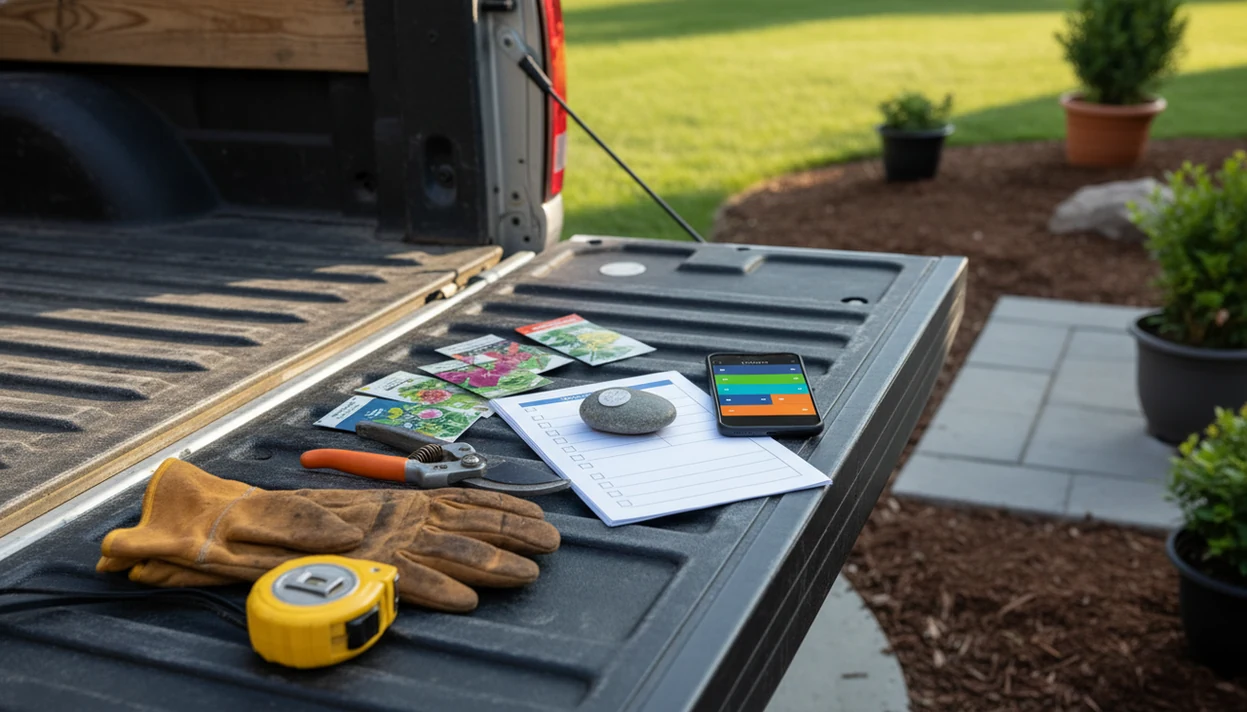
An invoice app for landscapers should help you quote jobs on-site, turn approved estimates into invoices, attach job details or photos, and track unpaid work without returning to a desk. Invoice Maker Teo fits small landscaping teams that need mobile estimates, PDF invoices, reminders, and payment status without a full field-service platform.
Invoice Maker Teo is an invoice maker app that creates invoices, estimates, PDFs, reminders, and payment tracking for freelancers and small businesses.
- Choose a landscaping invoice app that supports both estimates and invoices so accepted quotes do not need to be retyped.
- Recurring mowing, maintenance, and seasonal service plans need saved clients, repeat line items, clear terms, and payment tracking.
- Small landscaping operators often need fast mobile billing more than heavy accounting, payroll, or enterprise job management software.
Best invoice app for landscapers at a glance
The best invoice app for landscapers depends on whether you need simple mobile billing or a fuller field-service system. Many crews quote from driveways, side yards, and parking lots, so the mobile workflow matters as much as the invoice layout.
| Landscaping billing need | What to look for | Why it matters |
|---|---|---|
| One-time projects | Estimates, line items, PDF invoices | Cleanup, mulch, sod, and planting jobs change fast |
| Recurring maintenance | Saved clients, repeat services, due dates | Weekly mowing should not be rebuilt every Tuesday |
| On-site estimates | Mobile estimate builder | The client may be pointing at a broken fence while you price removal |
| Photos and notes | Job documentation fields | Scope details reduce “I thought that was included” calls |
| Unpaid tracking | Paid, unpaid, overdue status | Follow-up is easier when the invoice list is clean |
Pew reported that 79% of U.S. workers used a smartphone at work in 2024, which supports phone-first billing for field businesses source. For landscapers, mobile invoicing should create clear documents, not turn a two-person crew into an accounting department.
Landscaping invoice app benefits for field billing
A landscaping invoice app helps turn field notes into billable records before details fade. That matters when a job starts as “trim the hedge” and ends with hauling, mulch, edging, and a second property gate code.
- Landscapers often quote outside, revise scope in real time, and bill after field work.
- Mobile invoices reduce delayed billing because the PDF can go out before the truck leaves the neighborhood.
- Saved services prevent missing line items like cleanup, disposal, or extra bags of mulch.
- Payment reminders keep follow-up from depending on memory or a sticky note on the dashboard.
- Mobile-friendly invoices match customer habits; Pew reported 93% of U.S. adults owned a smartphone in 2024 source.
After a long afternoon, when the crew lead reviews line items in an elevator, the practical task is simple: export a clean PDF, send it, and mark the payment status later. No desk required.
Top landscaping invoice app features for estimates, photos, and payments
The essential features are estimate conversion, saved landscaping services, job documentation, PDF delivery, and unpaid invoice tracking. Nice-to-have features can help, but small crews should not pay for crew routing if they only need quotes and invoices.
- Estimate-to-invoice conversion should carry over the client record, job description, service line items, tax line, and notes.
- Saved services should cover mowing, mulch, edging, cleanup, planting, hauling, maintenance, and similar repeat work.
- Photos or job notes help document scope before and after work.
- PDF invoices, due dates, payment status, overdue tracking, and reminders are core billing features.
- Scheduling, routing, inventory, and dispatch are useful only when the business has that operational need.
Estimate conversion
For solo landscapers who need approved quotes to become bills quickly, the key fit is an estimate-to-invoice workflow that avoids retyping the customer name, yesterday’s due date, and every service line.
Photos and job notes
A notes field is often enough for simple work. Photos help when the estimate includes overgrowth, drainage issues, or a before-and-after cleanup record.
Payment tracking
Payment status usually depends more on clean invoice records than on accounting complexity. If a client says, “Can you resend that invoice?” unpaid status should be visible on the phone.
How an invoice app for landscapers works
An invoice app for landscapers works by turning job details into reusable billing records, then carrying those records from estimate to invoice to payment follow-up. The basic mechanism is simple: the app stores the client, property, service, price, terms, and due date so each new document starts from known information instead of a blank page.
For a new quote, the landscaper selects the customer and property, adds mowing, mulch, cleanup, planting, hauling, or other service lines, then sets prices and payment terms. If the customer approves the estimate, the estimate-to-invoice conversion copies those same records into a bill, including the job description and due date. Before sending, photos or notes can document overgrowth, bed size, disposal limits, damaged areas, or completed work, so the invoice reflects what was actually priced or performed. After delivery, the PDF gives the client a clean copy, while reminders and paid, unpaid, or overdue statuses keep follow-up visible on the phone.
Named shortlist of invoice apps for landscapers by business size
Different landscaping businesses need different software weight. A mowing side business, a three-person maintenance crew, and a growing lawn care company do not share the same billing problem.
- Invoice Maker Teo: best for simple mobile estimates, PDF invoices, reminders, and payment tracking. It suits landscapers who want to send a quote, convert it, and keep the next invoice easy.
- Square Invoices source: best when a landscaper already uses Square payments and wants invoicing near that payment flow.
- LawnPro source: best for lawn care operators that need more field-service workflow around jobs and customers.
- Yardbook source: best for businesses looking for broader lawn care business tools beyond invoice documents.
- FreshBooks source or Zoho Invoice source: useful when the business wants more small-business finance structure than a basic invoice maker.
If the priority is fast billing after field work, the focused mobile billing option earns the spot because the workflow stays centered on estimates, PDFs, reminders, and payment tracking. Larger systems may be useful, but they can feel heavy when the main job is sending a bill before lunch is over.
Invoice app workflow for landscapers from quote to payment
A landscaping invoice workflow moves from client record to estimate, approval, invoice, PDF delivery, reminder, and payment status. The system works because the same customer and service data can be reused instead of rewritten for every mowing visit or cleanup job.
In practice, you save the client, add line items, set terms, send the estimate, then convert the accepted quote into an invoice. Reusable line items and client history become the quiet time-saver. The weekly service note under a magnet still exists in some trucks, but the bill should not depend on finding it later.
On days when repeat maintenance stacks up, saved clients, line items, due dates, and unpaid status keep the next invoice close to ready. A simple invoice app for small business is often better than broad accounting software for landscapers who only need documents, records, and follow-up.
Landscaper estimate app steps for a job quote
A landscaper estimate app should make the quote clear enough to approve and structured enough to become an invoice. The goal is not fancy paperwork. It is fewer missed services and faster billing.
- Set up the customer record with the client name, job address, phone, email, and any gate or access note.
- Add service line items for mowing, mulch, edging, cleanup, planting, hauling, or recurring maintenance.
- Attach notes or photos that define the scope, such as bed size, disposal limits, or areas excluded from the quote.
- Send the estimate as a PDF or mobile-friendly message while the job details are still fresh.
- Convert the approved estimate into an invoice without re-entering the customer or service details.
- Track payment status as paid, unpaid, or overdue, then send a reminder if the due date passes.
For landscapers who quote one-time jobs and recurring maintenance from the same phone, one workflow should move from estimate to PDF invoice to payment tracking.
Common landscaping invoice app patterns for one-time and recurring jobs
How should landscapers invoice one-time projects versus recurring lawn work? One-time jobs need clear scope and approval, while recurring work needs consistent terms, saved services, and predictable follow-up.
One-time landscaping projects
Cleanup, sod, planting, mulch, and hardscape support often start with an estimate. Larger jobs may need a deposit, progress billing, or staged invoices. A milestone checklist ticked in pen can still guide the job, but the invoice should show what was approved, completed, and still owed.
Recurring lawn maintenance
Weekly mowing, monthly maintenance, seasonal cleanup, and snow-adjacent services work better with saved clients and repeat line items. Terms should be plain: service period, due date, late policy, and accepted payment methods. Operators who bill other repeat services may also compare workflows with an invoice app for cleaners, since both rely on recurring customer records.
Recurring landscaping invoices usually work best when the client, service list, due date, and reminder process stay consistent from one visit to the next.
Invoice app gaps for landscaping crews and solo operators
An invoice app can organize billing, but it cannot fix weak pricing, missing job costing, or an unclear service model. That gap matters in landscaping because labor, materials, travel time, disposal, and weather delays all affect margin.
- Software will not know whether a mulch job was underquoted by two yards.
- Some crews need scheduling, routing, crew management, inventory, CRM, or dispatch beyond invoicing.
- Generic invoice apps may struggle with retainers, progress billing, deposits, or service-specific job stages.
- Heavier platforms can slow down a solo operator who only needs estimates, invoices, and follow-up.
- The market is broad; IBISWorld reported about 677,000 U.S. landscaping services establishments and roughly $176 billion in industry revenue in 2024 source.
Small crews that value client privacy and clean PDF delivery should also consider a secure invoice maker app. Good billing software keeps customer records usable, not scattered between texts, spreadsheets, and a glove box folder.
Limitations
Invoice Maker Teo is built for mobile invoicing, estimates, PDFs, reminders, and payment tracking, but it is not a full landscaping operations suite. That distinction is important before you move a crew onto any billing system.
- Software will not correct bad pricing, weak job costing, or missing overhead.
- Payment tracking only works when invoices are sent promptly and client records stay clean.
- A simple invoice app may not replace scheduling, routing, dispatch, payroll, inventory, or full field-service management.
- Some apps that advertise landscaping features still behave like generic invoice tools.
- Mobile workflows depend on phone access, connectivity, and crew adoption.
- Faster payment is not guaranteed without clear terms, easy payment options, and reminders.
- Larger platforms like invoice2go.com, waveapps.com, and FreshBooks may offer broader workflows, but they may also add steps a small operator does not need.
If the business needs crew routing and dispatch, choose field-service software. If the business mainly needs quotes, invoices, PDF copies, and unpaid status, Invoice Maker Teo is the narrower fit.
FAQ
What is a landscaping invoice app?
A landscaping invoice app helps lawn care and landscaping businesses create estimates, send invoices, manage client records, export PDF copies, and track payment status. It is used for one-time projects, recurring maintenance, and follow-up on unpaid work.
What is the best app for landscapers?
The best app for landscapers depends on whether the business needs simple invoicing or broader field-service management. Invoice Maker Teo fits simple mobile estimates, PDFs, reminders, and payment tracking, while larger systems may fit scheduling and crew operations.
Can landscapers send estimates from phones?
Yes, landscapers can create and send estimates from phones. Mobile estimates are useful because pricing often happens on-site while the customer is reviewing the yard, beds, fence line, or cleanup area.
Can a landscaping estimate become an invoice?
Yes, many invoice apps can convert an accepted landscaping estimate into an invoice. This prevents retyping customer details, service line items, prices, notes, and due dates.
Do landscapers need recurring invoices?
Landscapers often need recurring invoices for weekly mowing, monthly maintenance, seasonal cleanup, and ongoing service plans. Recurring billing works best with saved clients, repeat line items, clear terms, and payment tracking.
Can landscaping invoices include job photos?
Some landscaping invoice apps allow photos or job notes to document work and scope. Photos can help show overgrowth, completed cleanup, planted areas, or damage that affects the estimate.
Are free invoice apps enough for landscapers?
Free invoice apps may be enough for basic one-off bills. Paid apps are often more useful when landscapers need estimates, PDF delivery, reminders, saved clients, recurring work, or unpaid invoice tracking.
How do landscapers track unpaid invoices?
Landscapers track unpaid invoices by marking invoices as paid, unpaid, or overdue inside the invoice app. A clean unpaid list makes it easier to resend a PDF copy or send a payment reminder.