
Freelancer Invoicing Before and After Using a Workflow
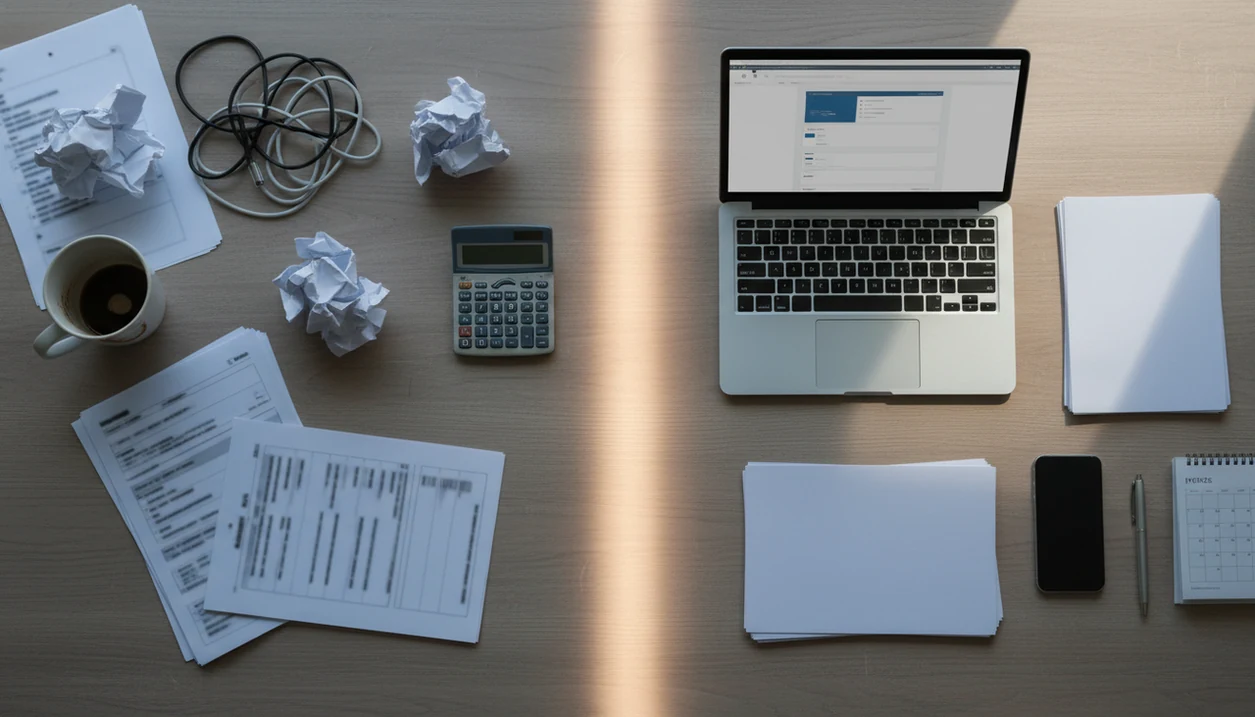
The shift in freelancer invoicing before and after a workflow is usually from rebuilding invoices manually and chasing payments by email to using saved clients, reusable templates, PDF invoices, reminders, and payment tracking in one place. The biggest improvements are less admin time, fewer missing details, clearer follow-up, and better visibility into unpaid work.
> Definition: Invoice Maker Teo is an invoice maker app that creates invoices, estimates, PDFs, reminders, and payment tracking for freelancers and small businesses.
TL;DR
- Before a workflow, freelancers often rely on spreadsheets, old PDFs, email threads, and memory to create and follow up on invoices.
- After a workflow, client details, invoice numbers, payment terms, reminders, and paid-or-overdue status are handled in one repeatable system.
- The practical gain is not just prettier invoices; it is faster invoice creation, fewer errors, more consistent payment follow-up, and clearer cash-flow records.
Freelancer invoicing before and after at a glance
Freelancer invoicing before and after a workflow is a comparison between scattered manual billing and a repeatable system for creating, sending, and tracking invoices. The change improves operations, but it does not guarantee every client pays on time.
| Billing step | Before workflow | After workflow |
|---|---|---|
| Invoice creation | Spreadsheet, Word file, or copied PDF | Saved template with reusable fields |
| Client details | Retyped from email or memory | Saved client record |
| Invoice number | Easy to skip or duplicate | Assigned consistently |
| Delivery | Email attachment searched from folders | PDF copy or invoice link sent from the workflow |
| Follow-up | Manual email chasing | Reminder schedule and overdue view |
| Records | Scattered files and inbox threads | Paid, unpaid, and overdue status in one place |
Formal invoices matter because clients often need invoice numbers, dates, totals, services, and terms for their own records. A contract tab open beside the total is a reminder: billing is part document control, part getting paid.
Five freelancer invoice workflow facts that change the result
A freelancer invoice workflow changes the result by turning key billing details into repeatable fields instead of memory-based tasks. These five facts explain why the before-and-after difference is usually visible within a few billing cycles.
- A freelance invoice should include seller and client details, invoice number, invoice date, itemized services, taxes if used, total due, due date, and payment terms. For a baseline invoice checklist, the U.S. Small Business Administration says invoices should identify the goods or services provided, the amount due, and payment terms: https://www.sba.gov/business-guide/manage-your-business/get-paid - Templates reduce repeat work because the logo, notes field, tax line, service descriptions, and payment instructions do not need to be rebuilt each time. - Reminders improve follow-up by making “unpaid” a visible payment status instead of a buried email thread. - Online or card payment options may shorten delays for some small businesses, especially compared with waiting for checks. - Standardized terms reduce disputes because Net 15, deposits, milestones, and late-fee language are visible before the payment deadline.
Cash-flow pressure makes this practical. In the Federal Reserve Banks’ 2024 Small Business Credit Survey, 31% of employer firms that applied for financing said they did so to meet operating expenses, showing how often small businesses use credit to bridge cash-timing gaps: https://www.fedsmallbusiness.org/survey/2024/report-on-employer-firms
How a freelancer invoice workflow works behind the scenes
A freelancer invoice workflow works by moving billing data through fixed stages: client profile, estimate, invoice, PDF, send event, reminder, payment status, and records. In plain terms, the system remembers the boring details so the next invoice starts cleaner.
The data model is simple. Client name, address, email, invoice number, line item, due date, tax line, subtotal, total, and payment terms become standardized fields. They are no longer loose text copied from last month’s PDF. If a prospect approves an estimate, the same services can become an invoice without retyping every line.
Still, automation depends on good inputs. A client name spelled two ways can create duplicate records. Yesterday’s copied due date can confuse a payment reminder. Review the PDF copy before sending it through Gmail, Outlook, WhatsApp, or Messages, especially when a milestone invoice has a deposit already applied.
How to use a freelancer invoice workflow step by step
A freelancer invoice workflow is easiest to use when you set up the repeatable parts before the next bill is urgent. The goal is a clear mobile invoice workflow, not a broad accounting project.
- Create client records with the legal or preferred billing name, email address, billing address, and any notes about purchase orders or contact people.
- Build an estimate or invoice template with your logo, common line items, hourly or flat-rate services, taxes if needed, and a notes field.
- Add payment terms such as deposit due on approval, Net 15, Net 30, accepted payment methods, and late-fee wording if you use it.
- Send the PDF or invoice link after checking the invoice number, due date, total, and client name on your phone.
- Review paid and overdue status weekly so reminders go to the right client and cleared payments are marked correctly.
For solo operators who want this without larger accounting software, a simple invoice app for small business can keep the next invoice easy.
Before workflow invoicing examples from common freelance jobs
Before workflow invoicing examples usually look ordinary, not chaotic. Manual invoicing can work at low volume, but it becomes fragile as clients, projects, and follow-up dates increase.
Maya the designer
Maya copies an old PDF for a logo refresh and changes the total, but forgets the invoice number. The client address is from last year, and the payment terms still say Net 30 even though the new project required a deposit. A designer with deposit-heavy projects may eventually need a cleaner invoice app for designers.
Jordan the writer
Jordan uses a spreadsheet with tiny cells pinched on a phone. One formula error glows red at night, and the due date gets copied from the previous article batch.
Messy, but familiar.
Rina the consultant
Rina tracks paid status in email. When a client asks, “Can you resend that invoice?” she searches sent mail, then checks a separate note to see whether the balance is actually overdue.
After workflow invoicing examples with saved clients and tracking
After workflow invoicing examples show faster document creation and clearer follow-up. They do not prove money arrives faster every time, because client behavior and payment method still matter.
Maya sends consistent PDFs
Maya opens a saved client profile, duplicates the last design invoice, updates the line items, and exports a clean PDF. The logo stays at the top, the tax line stays below the subtotal, and the due date is checked before sending.
Jordan duplicates repeat invoices
Jordan turns recurring article batches into duplicated invoices with consistent services and terms. Tools like Invoice Maker Teo support invoices, estimates, PDFs, reminders, and payment tracking without turning the task into enterprise accounting.
Rina tracks overdue balances
Rina checks unpaid status on her phone after a client asks for a resend. For milestone-heavy work, an invoice app for consultants can make overdue balances easier to separate from approved future work.
Freelancer invoice workflow patterns that reduce late-payment friction
Freelancer invoice workflow patterns reduce late-payment friction by making expectations visible before an invoice becomes overdue. A good workflow improves document handling and follow-up; it does not guarantee payment or replace accounting software.
Clear terms: Put due dates, deposits, milestones, accepted payment methods, and late-fee language directly on the invoice. A client promise noted after a call should become a written term, not a memory test.
Fast sending: Send the invoice while the work is fresh. For field or home-service freelancers, that may mean reviewing line items in an elevator before the next call.
Reminder schedule: Use polite reminders before and after the due date. The thank-you message after payment clears is part of the same habit.
Payment status review: Check paid, unpaid, and overdue invoices on a set day. Nonemployer firms often face unpredictable cash flow, so visibility matters even when volume is small. For repeat outdoor jobs, an invoice app for landscapers can also connect estimates, invoices, and recurring customer details.
For freelancers with several active clients, a weekly unpaid-invoice review is often easier than searching old email threads because every balance is checked in the same place.
What freelancer invoicing before and after does not prove
Does freelancer invoicing before and after prove you will get paid faster? No. It shows process improvement, not universal payment outcomes.
A workflow can make invoices clearer, reminders more consistent, and payment status easier to see. It cannot replace contracts, client screening, deposits, bookkeeping judgment, or legal collection steps. A bad client can still ignore a clean PDF.
The size of the improvement depends on invoice volume, client behavior, payment methods, and how messy the old system was. A freelancer sending two invoices a month from a tidy spreadsheet may see modest gains. Someone juggling retainers, milestone billing, and late follow-up will usually notice more. The clipboard tucked under one arm at a job site is not the problem; losing the estimate details before billing is.
Limitations
Workflow-based invoicing is useful, but it has real limits. Treat it as a billing process, not a promise that every invoice turns into cash on schedule.
- Software cannot force a bad client to pay, answer emails, or honor unclear scope.
- Automation can send duplicate invoices or reminders if the client record, invoice status, or due date is wrong.
- Some clients cannot or will not use online payment links, especially when their company requires checks or vendor portals.
- Freelancers still need contracts, deposits, organized records, and tax-ready documentation for a complete business process.
- A mobile invoice app should not be positioned as broad accounting software, payroll, or tax filing.
- Payment tracking is only accurate when cleared payments are marked correctly.
- Templates can carry old mistakes forward if nobody reviews the invoice number, address, tax line, or notes field.
Use an invoice workflow tool for billing operations, not as a substitute for legal, tax, or accounting advice.
FAQ
What is freelancer invoicing?
Freelancer invoicing is the process of billing clients for completed, scheduled, or milestone-based freelance work. It usually includes creating an invoice, sending it, following up, and recording payment status.
What should a freelance invoice include?
A freelance invoice should include client information, your business details, invoice number, invoice date, services, totals, taxes if applicable, due date, and payment terms. Clear line items help clients approve payment faster.
When should freelancers send invoices?
Freelancers often invoice upfront for deposits, after milestones, on delivery, or on a recurring schedule. The timing should match the contract or written agreement.
Do freelancers need invoice numbers?
Yes, invoice numbers help clients process bills and help freelancers track paid, unpaid, and overdue work. They also make year-end records easier to review.
Are spreadsheet invoices enough?
Spreadsheet invoices may be enough for very low-volume billing. A workflow with templates, reminders, PDFs, and tracking becomes more reliable as clients and projects increase.
Do invoice reminders help freelancers?
Invoice reminders help freelancers avoid forgotten follow-up. They cannot force payment, but they make overdue invoices more visible.
Can freelancers invoice from a phone?
Yes, mobile invoice apps can create, send, and track invoices from a phone when client and service details are ready. For this workflow, look for saved clients, PDF export, reminders, and paid-or-overdue status tracking.
What is an invoice workflow?
An invoice workflow is the repeatable path from estimate or job details to invoice, reminder, payment, and record keeping. A mobile invoice workflow can support that path for freelancers who want saved clients, PDFs, reminders, and tracking.