
Find Partial Payments and Remaining Invoice Balances
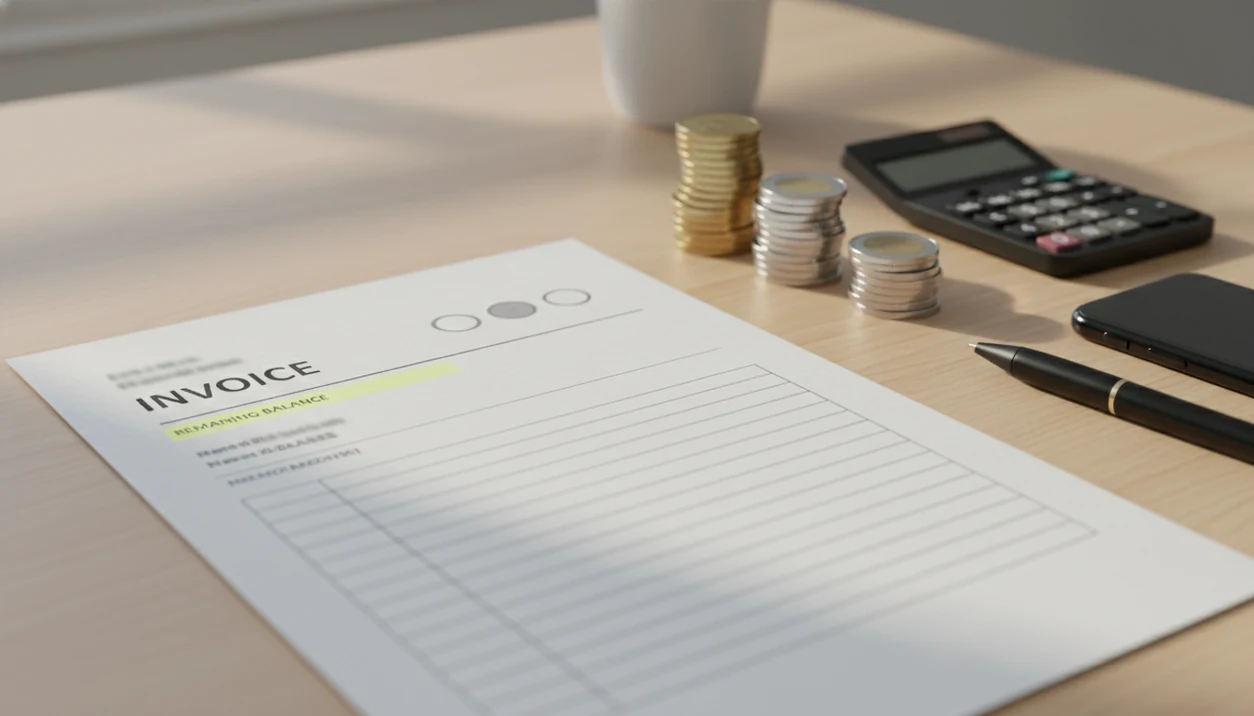
To find partial payments, open the invoice record and check the payment history, paid amount, and balance due for that specific client. A partial payment tracker helps you see deposits, milestone payments, installments, and unpaid balances without searching through emails or doing manual math.
A mobile invoice maker app can create invoices, estimates, PDFs, reminders, and payment tracking for freelancers and small businesses without turning the task into full accounting.
- Partial payments show that a client has paid part of an invoice but still owes a remaining balance.
- Accurate invoice balance tracking ties every payment to the correct invoice, client, date, and payment method.
- The fastest workflow is to search the invoice, review the payment history, confirm the balance due, and send a reminder or updated invoice when needed.
Partial Payment Tracker Method for Open Invoice Balances
The practical way to find a partial payment is to search by client, invoice number, invoice status, or payment history, then open the exact invoice record. The remaining balance should appear beside the invoice total and paid amount, not hidden in notes or a separate spreadsheet.
Partial payments usually show up as deposits, milestone payments, retainers, or installments. A designer might take 40% up front, finish the logo package, then need to confirm the final balance before exporting a PDF copy.
Tools like Invoice Maker Teo can help freelancers and small businesses keep that mobile invoice workflow simple. It is an invoice app, not a full accounting suite, so the useful job is narrow: show the invoice, what has been paid, and what is still due. Good invoice maker app for freelancers and small businesses to create, send, and track invoices and estimates should deliver clear billing records, not enterprise accounting complexity.
Invoice Payment History Fields for Partial Payment Tracking
A partial payment record is a payment entry attached to one invoice and one client. That link is what lets the app calculate the invoice status and remaining balance without guessing.
Each payment history entry should include the payment amount, payment date, method, and a short note. The invoice view should also show total invoice value, paid amount, and balance due. When the first payment is recorded, status moves from unpaid to partially paid. When the recorded payments equal the invoice total, status moves to paid.
That sounds small. It is not.
Splitting one invoice into several smaller invoices is not the same as recording partial payments. Separate invoices create separate due dates, invoice numbers, and client records. For one agreed invoice with a deposit and final payment, one invoice with multiple payment entries is usually cleaner because the balance history stays in one place. The same logic applies inside an invoice payment tracking app.
How Partial Payment Tracking Works
Partial payment tracking works by attaching each payment entry to one invoice and one client, then recalculating what is still open. The basic formula is simple: invoice total minus recorded payments equals balance due.
That calculation also drives the invoice status. Before any payment is entered, the invoice is unpaid. After one recorded payment that is less than the total, it becomes partially paid. Once recorded payments match the invoice total, the status becomes paid. Dates, payment methods, and notes give the balance a trail the client can recognize later, such as “card deposit” or “cash final labor.” Those details help prevent disputes when someone says the amount was already handled or paid another way. This is still app balance tracking, not bank reconciliation or accounting review. The app shows the working invoice balance based on entries in the invoice record; a bank or accounting check confirms whether the money actually cleared and was categorized correctly.
5-Step Invoice Balance Tracking Workflow for Partial Payments
Use this workflow when a client pays part of an invoice and you need to confirm the open balance from your phone. For freelancers, recording the payment immediately is often easier than rebuilding the story later from bank deposits, inbox searches, and copied due dates.
- Search the invoice by client name, invoice number, or partially paid status.
- Open the payment history and review each recorded payment date, amount, method, and note.
- Check the paid amount against the invoice total before you tell the client what remains.
- Confirm the balance due in the invoice view, especially after deposits, retainers, or milestones.
- Follow up with a reminder, updated PDF copy, or receipt note if the remaining balance is still open.
One-thumb billing happens often. A contractor may mark cash received near the register, then send the updated invoice from the parking lot before the next job.
Invoice Balance Tracking Evidence for Freelancers and Small Businesses
Partial payment visibility matters because many small operators bill in stages and still face late payment risk. Invoice balance tracking is not broad accounting; it is the habit of knowing who paid, when they paid, and what remains open.
These sources show why open-balance visibility matters, but they do not prove that any single invoice app prevents late payment. The practical claim here is narrower: cleaner payment records make follow-up easier to verify.
- Upwork estimated that 60 million Americans freelanced in 2022, about 39% of the U.S. workforce: https://www.upwork.com/research/freelance-forward-2022
- QuickBooks reports that late payments remain a major small-business cash-flow problem; use its late-payment research as the source for any late-payment percentage you keep: https://quickbooks.intuit.com/r/small-business-data/small-business-late-payments/
- The Federal Reserve’s Small Business Credit Survey reports financial challenges and cash-flow pressure among U.S. employer firms: https://www.fedsmallbusiness.org/reports/survey/2024/report-on-employer-firms
- Partial payment records reduce “we already paid that” disputes because dates, methods, and notes are attached to the invoice.
- Reminder timing works better when it is based on the remaining balance, not the original invoice total.
For a solo service business, a partially paid invoice is still open money. If it is not visible, it is easy to forget during a busy week.
3 Partial Payment Examples: Deposits, Milestones, and Installments
Partial payments appear in different work patterns, but the invoice view should answer the same questions every time: What was the total, what has been paid, what is still due, when did each payment arrive, and what note explains it?
Deposit invoice balance
A freelance photographer takes a deposit before booking a weekend shoot. After delivery, the contract tab is still open beside the total, and the client asks for the final amount. The invoice should show the total fee, deposit date, paid amount, and remaining balance without changing the original invoice number.
Milestone payment history
A small contractor bills after framing, inspection, and final cleanup. Wet driveway notes after rain should not be the only record. The invoice should show each milestone payment with dates and notes, so the final balance matches the work completed.
Installment payment record
A consultant lets a repeat client pay in three installments. The app should show the installment amounts, payment methods, and open balance, especially when the project folder is named final final and nobody wants to reopen old email threads.
Partial Payment Tracker Patterns for Invoice Balance Accuracy
Accurate partial payment tracking comes from small repeatable habits. Record the payment when it happens, add the method and note, then let the invoice status show whether the balance is unpaid, partially paid, overdue, or paid.
Bank deposits alone are not enough unless each deposit is matched to the correct invoice. Two clients can pay the same amount on the same day. A clean note like “ACH deposit, phase 2” can prevent a long message thread later.
Use status filters to review open balances before sending reminders. If you need a wider view, a dashboard that helps you see unpaid invoices can catch balances that are not fully overdue yet. Send reminders based on the remaining balance, not the original total. That keeps the message fair and easier for the client to verify.
Small detail, big difference.
Partial Payment Tracker Gaps in Client Payment Records
An invoice app cannot know a client paid unless the payment is recorded or connected through an available payment workflow. If a client hands over cash, sends a bank transfer, or pays through a separate processor, someone still needs to match that payment to the invoice.
Scope changes can also complicate the balance. If a project grows after the deposit, the invoice may need updated line items, a revised tax line below the subtotal, or a notes field explaining the new payment terms.
Reminders still need clear due dates and follow-up. An app can show the balance, but it cannot fix unclear terms after the invoice has already been sent. When timing matters, compare the in-app balance with actual bank deposits before you check overdue invoices or escalate the follow-up.
Limitations of Partial Payment and Invoice Balance Tracking
Partial payment tracking is useful, but it is only as accurate as the payment records behind it. Treat the app balance as a working billing record, then reconcile it when the money trail matters.
- Partial payment tracking only works if each payment is recorded against the correct invoice and client.
- Manual errors, skipped entries, duplicate clients, or yesterday’s copied due date can make the balance due wrong.
- Some invoice tools do not support true partial payments and rely on confusing workarounds.
- A tracker does not prevent late payments without payment terms, reminders, and direct follow-up.
- Changing project scope can make estimates, invoices, and partial payments harder to align.
- Invoice app balances may not match bank records unless deposits are reconciled.
- Payment notes can help in disputes, but they are not legal or accounting advice.
Invoice apps such as Wave, FreshBooks, and Zoho Invoice may handle these details differently, so test the partial payment view before you rely on it for repeat clients.
FAQ: 8 Partial Payment and Invoice Balance Questions
What is a partial payment?
A partial payment is a payment that covers only part of an invoice total. The invoice remains open until the remaining balance is paid or otherwise credited.
How do I find partial payments on an invoice?
Open the invoice record and review the payment history, invoice status, paid amount, and balance due. This belongs in the invoice’s payment tracking workflow.
What does partially paid mean on an invoice?
Partially paid means the invoice has received at least one payment but still has an unpaid balance. It is not the same as fully paid.
How is invoice balance due calculated?
Invoice balance due equals the invoice total minus recorded payments and credits. If a payment is missing, the balance will be wrong.
Can deposits be recorded as partial payments?
Yes, deposits are a common partial payment type when they are tied to the correct invoice. The remaining balance should update after the deposit is recorded.
Should I split one invoice into multiple invoices for partial payments?
Splitting can create confusion when one invoice agreement has several payments. Recording payments on one invoice usually keeps the total, paid amount, and balance together.
Can a remaining partial payment balance become overdue?
Yes, the remaining balance can become overdue if it passes the payment terms. An app that sends payment reminders can help with follow-up timing.
Why should I track payment dates for partial payments?
Payment dates help verify the payment history, settle disputes, and time reminders. They also show whether a client’s payment pattern is changing.