
Does an Invoice Maker App Work for Faster Billing and Getting Paid?
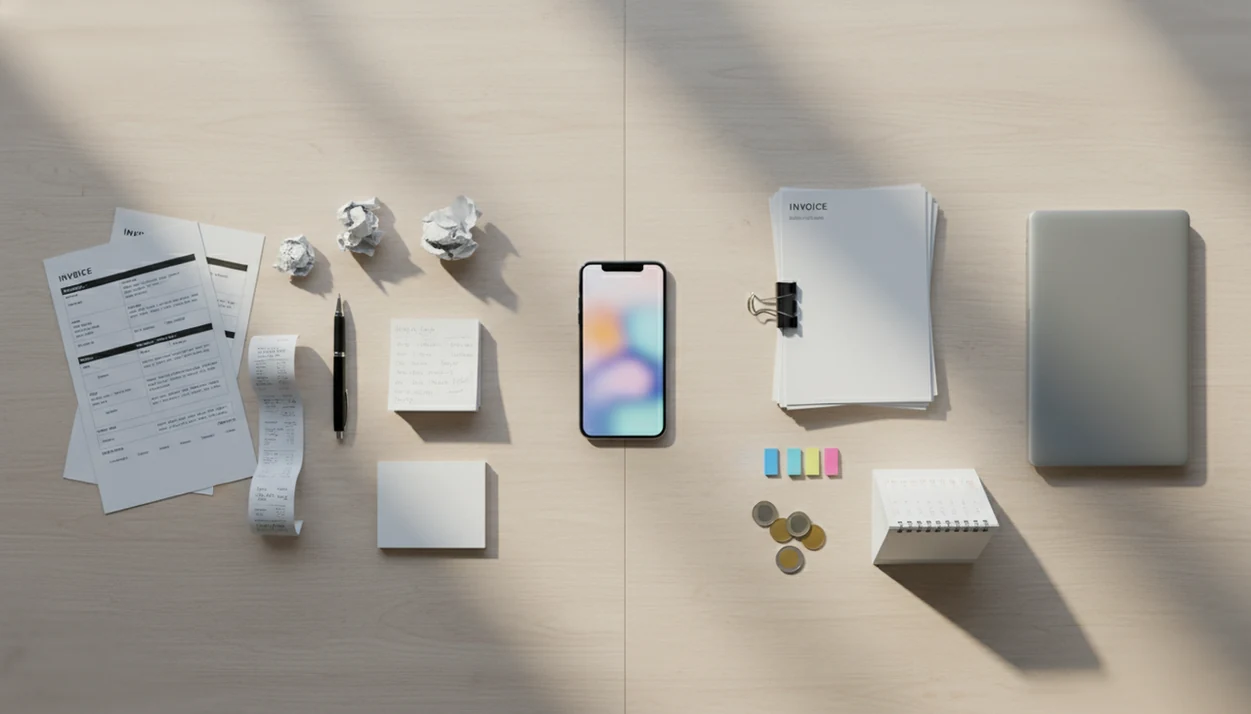
Yes, does invoice maker app work is a fair question: it works best when your problem is slow, scattered, or error-prone billing, not when your problem is unwilling clients or weak contracts. An invoice app can help you create invoices faster, send them sooner, track payment status, and follow up more consistently.
> Definition: Invoice Maker Teo is an invoice maker app that creates invoices, estimates, PDFs, reminders, and payment tracking for freelancers and small businesses.
TL;DR
- Invoice apps help most when you send invoices regularly and want less manual admin.
- They can improve speed, accuracy, reminders, and payment tracking, but they cannot guarantee on-time payment.
- The app is usually worth it if the time saved and fewer missed follow-ups outweigh subscription and payment processing costs.
Does Invoice Maker App Work for Freelancers and Small Businesses?
An invoice maker app works for faster billing when the problem is manual admin: copying client details, rebuilding line items, exporting PDFs, and remembering follow-ups.
An invoice app reduces the gap between finishing work and sending a professional payment request. Instead of opening last month’s spreadsheet, fixing a copied due date, and exporting a PDF by hand, you use saved client details, line items, invoice numbers, and payment terms.
That matters for freelancers, contractors, consultants, mobile service providers, and small businesses with repeat invoice needs. A job is fresh at 4:40 p.m.; the details are not as fresh three days later.
Still, the app improves process control, not client behavior. In a 2023 Federal Reserve small business credit survey, 43% of U.S. small businesses said late payments significantly affected growth (https://www.fedsmallbusiness.org/survey/2023/report-on-employer-firms). Better billing helps, but it does not make a slow payer reliable.
At-a-Glance Invoice App Worth-It Checklist
An invoice app is worth considering when billing takes enough time, repeats often, or creates follow-up gaps. If you only send two invoices a year, a free template may be enough.
| Situation | App likely helps | Why it matters |
|---|---|---|
| Sending invoices weekly | Yes | Reused templates and client records save repeated typing. |
| Repeating client details | Yes | Names, addresses, tax lines, and terms stay consistent. |
| Forgetting follow-ups | Yes | Unpaid status and reminders reduce missed Monday check-ins. |
| Needing PDF invoices | Yes | A clean PDF copy is easier to send through Gmail, Outlook, WhatsApp, or Messages. |
| Wanting online payments | Often | Card, bank transfer, or wallet options may speed payment, but fees matter. |
| Sending a few invoices per year | Maybe not | A paid app may cost more than the admin time it saves. |
For freelancers comparing templates, spreadsheets, and apps, the simple test is time plus risk. If searching last year’s customer tab keeps slowing you down, an invoice maker app for freelancers can be easier than rebuilding each document.
5 Facts About How Invoice Apps Help Billing Habits
Invoice apps help billing habits by making the correct action easier to repeat. The gain is usually less drama, fewer small mistakes, and faster follow-up.
- Invoice apps create, send, store, and track invoices in one place. You can check unpaid status after a client says, “Can you resend that invoice?”
- Saved templates and client records reduce retyping and mistakes. A client name spelled two ways can delay payment or confuse records.
- Automatic totals, taxes, discounts, and due dates reduce calculation errors. The tax line belongs below the subtotal, not dragged into the wrong spreadsheet row.
- Online payments and reminders can improve cash-flow discipline, but may include fees. A McKinsey analysis found digitized finance operations can reduce manual processing costs by 30–40% and processing time by up to 60% (https://www.mckinsey.com/capabilities/operations/our-insights/the-next-normal-in-construction-how-disruption-is-reshaping-the-worlds-largest-ecosystem).
- Invoice apps are not full accounting, payroll, or tax filing systems. EU e-invoicing research found processing time reductions of 50–75% and error-rate reductions up to 37% (https://ec.europa.eu/digital-building-blocks/sites/display/DIGITAL/eInvoicing), but that does not turn an invoicing tool into an accountant.
How an Invoice Maker App Works Behind the Scenes
An invoice maker app works by turning invoice details into structured fields, then reusing those fields across documents. The basic data flow is business profile, client record, line item, automatic calculation, invoice number, due date, PDF generation, sending, reminders, and payment status.
Structured fields are the quiet advantage. A Word document lets you forget an invoice number. A spreadsheet lets yesterday’s due date sit in the wrong row. An app can prompt for missing details before you send the PDF copy.
The behavior change is just as important. Faster billing habits come from lowering the effort required right after work is completed, when the job details are still clear. For a service provider with sawdust on the phone screen, that small reduction in effort matters.
Good invoice maker apps for freelancers and small businesses help create, send, and track invoices and estimates, not replace contracts, accounting judgment, or collections work.
Before You Use an Invoice Maker App
Before you use an invoice maker app, get the billing facts ready so the first invoice is not a guessing exercise. A few setup choices make the app faster on the second invoice, not just the first one.
- Confirm client details before entry. Use the legal or preferred client name, billing address, email, and payment method they actually want to use. One wrong address can turn a quick invoice into a resend.
- Choose your default payment terms. Decide whether invoices are due on receipt, in 7 days, 14 days, or 30 days before you send anything. Keep the wording consistent unless a contract says otherwise.
- Prepare tax and service information. Have tax rates, common service descriptions, standard line items, discounts, deposits, and notes ready so totals are not rebuilt from memory.
- Decide where records will live. Pick a storage habit for exported PDFs, reports, and receipts, whether that is cloud storage, a client folder, or a bookkeeping handoff folder.
- Check payment fees against pricing. Online card, bank, or wallet payments may be convenient, but processing fees should be part of your pricing math.
How to Use an Invoice App for a Reliable Payment Workflow
A reliable invoice app workflow should stay short enough to use on a busy day. The goal is to keep the next invoice easy, not build a full accounting project on your phone.
- Set your business profile and payment terms. Add your logo, contact details, default due date, tax line, and notes field for payment instructions.
- Save client and service details. Store common line items so you are not retyping the same repair, design block, or monthly service.
- Send an estimate before work starts. Use clear scope and pricing before the client approves the job.
- Convert approved work into an invoice. Tools like Invoice Maker Teo support invoices, estimates, PDFs, reminders, and payment tracking in one mobile invoice workflow.
- Track payment status and send reminders. Mark cash received near the register or update unpaid status before the next follow-up.
- Export or save records for bookkeeping. Keep PDF copies and simple reports ready for your bookkeeper or accountant.
If the phone workflow is the main issue, this guide on how to make invoice on phone covers the document steps in more detail.
Common Invoice App Mistakes to Avoid
The most common invoice app mistakes come from treating speed as a substitute for clarity. A faster invoice is useful only when the scope, approval, payment path, and records are clean.
- Confirm the work before you bill. Do not send an invoice from memory after a hallway conversation or loose text thread. Match the invoice to an agreed scope, approved estimate, or written go-ahead so the client is not surprised by the amount.
- Test the payment link before sending. Open the link, check the amount, and make sure the client can actually reach the payment screen. A broken link turns a same-day invoice into another follow-up.
- Set reminders with plain timing and tone. A reminder the morning after sending may feel pushy if the terms say 14 days. Use clear wording, reasonable spacing, and a human note when the client relationship matters.
- Export records before changing tools or devices. Save PDFs, reports, and payment notes before deleting an app, replacing a phone, or moving providers.
- Keep bookkeeping separate. Invoice tracking shows what was sent and paid; it is not the same as reconciling bank deposits, expenses, taxes, and year-end records.
4 Invoice App Myths That Lead to Bad Billing Decisions
Invoice apps improve billing structure, documentation, and follow-up consistency. They do not remove every business problem around payment.
Myth: Invoice apps guarantee payment
Reality: an app can send the invoice sooner, show payment status, and remind the client, but it cannot force payment. If the scope is disputed or the client is avoiding you, software only documents the trail.
Myth: Invoice apps replace bookkeeping
Reality: most invoice apps do not replace bookkeeping, tax preparation, payroll, or double-entry accounting. They help organize receivables and invoice records.
Two more myths deserve quick correction.
- Myth: all invoice apps are the same. Features vary, including estimates, recurring invoices, online payments, tax fields, reports, and export options.
- Myth: invoice apps are only for large companies. Many are built for solo operators sending a few invoices each month from a phone.
For contractors, the useful split is usually estimate first, invoice later. A dedicated invoice maker app for contractors can fit that field workflow better than a blank spreadsheet.
Invoice Maker App Costs, Fees, and Cash-Flow Tradeoffs
The cost of an invoice app is more than its subscription price. You should compare the monthly fee, payment processing fees, and the time still needed for exports, reconciliation, and client follow-up.
Free templates look cheaper at first. But if they cause missed invoice numbers, forgotten reminders, or late sending, the hidden cost can be real. A due date highlighted on Monday morning is worth more when it leads to a same-day follow-up.
Payment processing fees also matter. Card, bank transfer, or wallet payments may help clients pay faster, but the fee should be included in your pricing decision. A 2020 Federal Reserve survey found small businesses using digital invoicing and payment tools were about 15 percentage points more likely to report improved cash flow (https://www.fedsmallbusiness.org/survey/2020/report-on-employer-firms).
SCORE has reported that 82% of small businesses fail because of cash-flow problems (https://www.score.org/resource/blog-post/why-cash-flow-management-important-your-business). For small service businesses, an invoice app is usually worth it when hours saved, fewer errors, faster sending, and fewer forgotten invoices outweigh app and payment costs.
Best-Fit Invoice App Use Cases for Simple Service Work
Invoice apps fit simple service-based work especially well because the billing pattern is usually client, service, price, due date, and payment status. That pattern is easy to repeat on a phone.
- Freelancers billing hours. Designers, writers, developers, and virtual assistants can reuse client records and hourly line items.
- Contractors billing projects. A deposit line can be added before launch, then the final invoice sent after file delivery or job completion.
- Consultants billing retainers. Saved monthly services and recurring invoice options reduce setup time.
- Mobile service providers billing on-site. A provider can send a PDF from the curb after the job, with the messaging app still open.
- Small shops sending estimates. Estimates can become invoices without re-entering the same customer and service details.
More complex operations may need deeper software. Inventory-heavy businesses, multi-entity accounting, payroll, advanced tax reporting, and enterprise approval chains often go beyond a simple invoice app. For a broader comparison, use a best invoice maker app guide before choosing.
Limitations
An invoice app can make billing cleaner, but it has clear boundaries. These limits matter before you pay for any tool.
- An invoice app cannot force clients to pay on time.
- It cannot fix vague contracts, unclear scope, missing approvals, or active disputes.
- Most invoice apps do not replace full bookkeeping, tax filing, payroll, or double-entry accounting.
- Online payments may add processing fees for cards, bank transfers, or wallet payments.
- Automated reminders can annoy clients if they are too frequent or too blunt.
- Very low invoice volume may make a paid app unnecessary.
- Data exports and backups matter, especially if you ever switch providers.
- Complex inventory, multi-entity accounting, advanced tax needs, or layered approvals may require specialized software.
Small warning. Keep your records portable.
If your current need is only occasional billing, a free invoice maker app or simple template may be enough until invoice volume grows.
FAQ
Do invoice apps help small businesses get paid?
Invoice apps help by making invoices faster to create, send, remind, and track. They do not guarantee payment from clients.
Is an invoice app worth it?
An invoice app is worth it when time saved, fewer errors, and better follow-up outweigh subscription and payment processing costs. Low invoice volume may not justify a paid tool.
Can invoice apps get me paid faster?
Invoice apps can support faster payment by sending invoices sooner, offering online payment options, and reminding clients. Client behavior, contract terms, and disputes still affect timing.
Are invoice maker apps safe to use?
Safety depends on the app’s security practices, data handling, payment partners, backup options, and account protection. Users should review permissions, exports, and payment setup before relying on any app.
Do invoice apps replace accounting software?
Most invoice apps do not replace full bookkeeping, tax preparation, payroll, payroll, or double-entry accounting. They mainly help create invoices, track payment status, and store billing records.
Do invoice apps work on iPhone?
Many invoice apps work on iPhone and are useful for creating and sending invoices from the field. Invoice Maker Teo is one example of a mobile invoicing app used for invoices, estimates, PDFs, reminders, and payment tracking.
Do invoice apps work on Android and PC?
Many invoice apps support Android, but PC access depends on whether the provider offers a web app, desktop app, or export workflow. Invoice Maker Teo focuses on mobile invoice workflows, so users should check device support before choosing.
Are free invoice apps enough?
Free invoice apps or templates can be enough for occasional invoices with simple terms. Paid features become more useful when you need estimates, reminders, recurring invoices, online payments, or unpaid invoice tracking.