
Invoice Maker App For Contractors Who Quote On Site
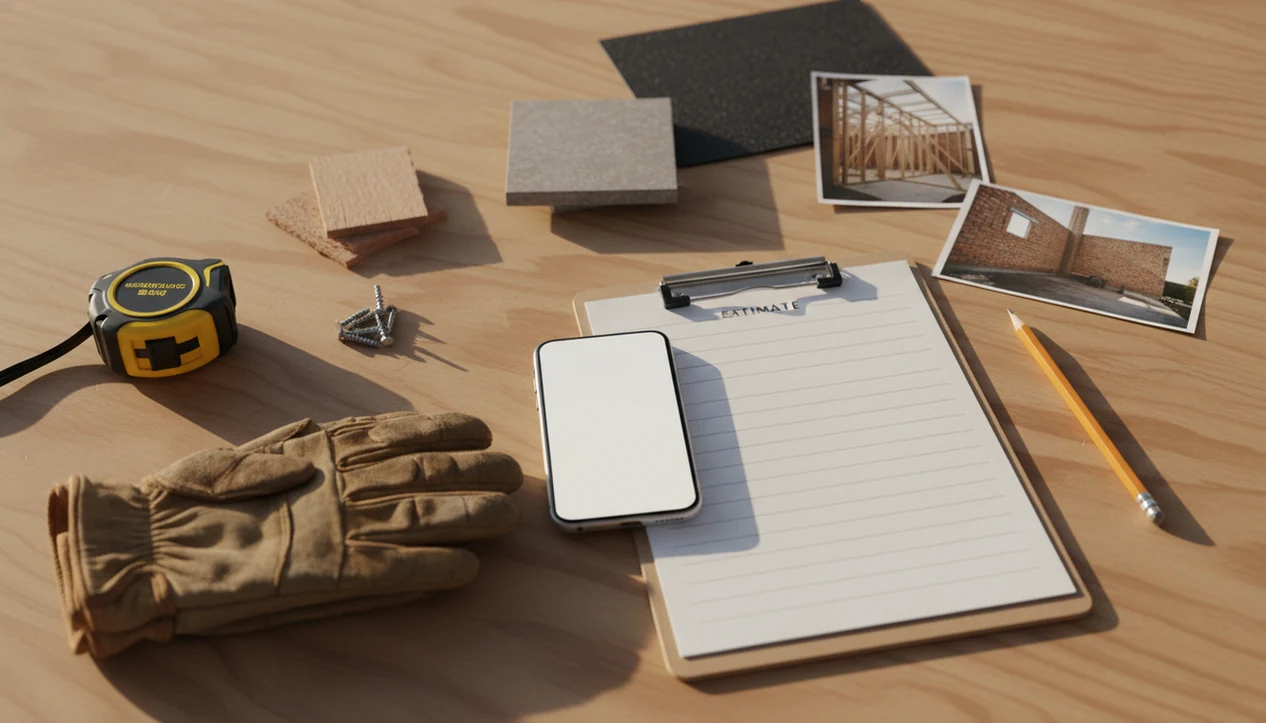
A strong invoice maker app for contractors lets you quote on site, add materials and labor, attach job notes or photos, collect deposits, convert approved estimates into invoices, and track unpaid work from your phone. Contractors should prioritize a mobile-first workflow over a broad accounting suite if most of the work starts in a driveway, job site, shop, or customer visit, and Invoice Maker Teo fits that daily quoting rhythm.
> Definition: Invoice Maker Teo is an invoice maker app that creates invoices, estimates, PDFs, reminders, and payment tracking for freelancers and small businesses.
- Choose a contractor invoice app that handles estimates, deposits, invoices, receipts, reminders, and payment tracking in one workflow.
- For on-site quoting, the most important features are fast line items, photos or file attachments, taxes, discounts, customer approval, and estimate-to-invoice conversion.
- Lightweight apps are best for independent contractors and small crews; complex construction firms may still need accounting, payroll, or project management software.
Best invoice maker app for contractors at a glance
The best fit is a mobile contractor invoice app with estimates, deposits, attachments, estimate conversion, and payment tracking. Invoice Maker Teo is built for freelancers, independent contractors, and small service businesses that need billing documents, not a full accounting system.
That distinction matters on a job site. A phone balanced on a paint bucket is not the place to open a spreadsheet, fix a formula, and retype a customer name. According to Eurostat, 56% of small and medium-sized enterprises in the EU reported using mobile devices for business purposes such as email, internet access, and business apps (https://ec.europa.eu/eurostat/statistics-explained/index.php?title=DigitalisationinEurope-2024_edition).
At a glance, contractors should check five needs:
| Contractor need | What the app should handle |
|---|---|
| Quoting on site | Build estimates from saved labor and material line items |
| Deposits | Record partial payment before work starts |
| Job proof | Attach notes, photos, or files to the job |
| Unpaid tracking | Show payment status and reminders |
| PDF sending | Export a clean PDF for email, Messages, or WhatsApp |
If the priority is fast field billing, look for estimates, PDF invoices, reminders, and payment status in the same mobile invoice workflow.
Job-site cash flow problems contractor invoice apps solve
Contractors often quote while standing with the customer, not later at a desk. A contractor invoice app solves the gap between “I’ll send that tonight” and a clean estimate sent before the customer forgets the conversation.
Manual notes, copied spreadsheet templates, and delayed follow-ups create small billing leaks. A yesterday’s copied due date stays on the invoice. A material charge gets left on a sticky note in the truck. A customer says, “Can you resend that invoice?” and someone has to search email from the sidewalk.
Late payment makes those mistakes more expensive. The Federal Reserve’s Small Business Credit Survey has repeatedly found that late or slow payments create cash-flow pressure for small firms (https://www.fedsmallbusiness.org/reports/survey). Faster estimates, deposit requests, and reminders do not guarantee payment, but they shorten the lag between approval, invoice, and follow-up.
For independent contractors, a mobile invoice workflow is often easier than desktop billing because the job details are freshest before the van leaves the curb.
Top contractor estimate app features for job-site quotes
A strong contractor estimate app should reduce double entry between quote, approval, invoice, and receipt. The five features below matter most when the work starts in the field.
- Mobile estimates: Electricians, plumbers, painters, landscapers, remodelers, and handymen should be able to create a quote while looking at the actual job.
- Labor and material line items: Separate line items keep hourly work, fixtures, mulch, paint, disposal, and trip charges clear.
- Deposits or partial payments: Deposits help cover materials before the contractor spends cash on the customer’s job.
- Photos and file attachments: Before photos, marked-up notes, and signed approvals help explain the scope if a customer questions the bill.
- Estimate-to-invoice conversion: Approved quotes should become invoices without retyping the same customer, job, tax, discount, and total.
This small-business pattern works best when estimates can move into invoices, then into PDF sending, reminders, and payment tracking. Good invoice maker apps deliver document clarity and follow-up, not enterprise project control.
Named shortlist of contractor invoice app options
Here is a practical shortlist of contractor invoice app options, framed around workflow fit rather than unsupported pricing claims.
- Invoice Maker Teo: Best suited for simple mobile invoices, estimates, PDF copies, reminders, and payment tracking for freelancers and small businesses. It earns the spot when a contractor wants to send the document from the truck and keep the next invoice easy.
- Joist: A contractor-oriented option that focuses on estimates, invoices, and field-service style workflows.
- Invoice Simple: A general small-business invoice app that can fit contractors who mainly need quick invoices and basic estimates.
- Bookipi: A small-business invoicing option for users who want mobile document creation without a heavy accounting setup.
- PayPal invoicing: A payment-led invoicing option for contractors who already use PayPal and want payment collection close to the invoice.
Contractors comparing broader tools can also read our best invoice maker app guide for small-business billing use cases.
Estimate-to-payment workflow inside a contractor invoice app
A contractor invoice app works by keeping the job record connected from estimate to payment status. Customer details, job notes, labor, materials, taxes, discounts, photos, approvals, deposits, invoices, and reminders should not live in separate places.
The mechanism is simple: the estimate is the source record, and the invoice is the billing document created from that approved scope. In plain terms, you type the job once. Estimate-to-invoice conversion prevents retyping and keeps the approved work tied to the bill. PDFs, reminders, and unpaid status are outputs of that same workflow.
Field software is growing because more trade work is coordinated from phones and tablets. Statista projected the global field service management market to grow from about $3.12 billion in 2020 to about $8.06 billion by 2028 (https://www.statista.com/statistics/1278914/worldwide-field-service-management-market-size/).
Invoice Maker Teo fits contractors who need that job-to-payment chain without moving into a larger field service platform. For small crews, fewer screens can mean fewer missed charges.
How to use an invoice maker app for contractors
Use an invoice maker app for contractors as one job record that starts with the quote and ends with payment tracking. A clean process helps avoid missed charges, vague scope, and customer disputes.
- Set up your business details, logo, tax settings, payment terms, and default due date before the first job.
- Create a customer and job record while you are still on site, including the service address and contact name.
- Add labor, materials, discounts, taxes, and any trip or disposal fees as separate line items.
- Attach job notes, before photos, measurements, or file references so the estimate explains the work clearly.
- Request customer approval or a deposit before ordering materials or scheduling the crew.
- Convert the approved estimate into an invoice, send a PDF copy, and track unpaid status until the balance is settled.
This pattern works well when the estimate, invoice, PDF copy, reminder, and payment status stay close together. If you only need phone-based basics, our guide on how to make invoice on phone covers the simpler version.
Common contractor invoice app patterns by trade
Different trades use the same billing workflow in different ways. The app should let each contractor document the job without turning every invoice into an accounting project.
Handyman and repair jobs
Handymen often combine small labor blocks with materials from multiple stores. Line items help separate drywall patching, hardware, caulk, disposal, and minimum callout fees.
A quick note matters here. “Customer approved hallway repair only” can prevent a later dispute about the bedroom door that was mentioned but not priced.
Landscaping and exterior work
Landscapers often use estimates for recurring work, seasonal cleanup, mulch, planting, and one-time repairs. Before-after photos help show the finished scope, especially when the customer is not home.
For repeat exterior jobs, saved customer details and recurring-style billing habits keep Tuesday routes from becoming a paperwork pile.
Plumbing, electrical, and service calls
Plumbers and electricians often need diagnostic notes, parts, labor minimums, and approval before extra work. Change requests should be written into the job record before the final invoice goes out.
For contractors who need simple billing without a full ledger, a simple invoice app without QuickBooks can be a better fit than broad accounting software.
Free contractor invoice app versus paid contractor estimate app
A free contractor invoice app may be enough for occasional jobs, basic PDFs, and a small number of documents. A paid contractor estimate app may be worth it when deposits, photos, reminders, branding, client records, or higher job volume become part of normal work.
| Decision point | Free app may fit when | Paid app may fit when |
|---|---|---|
| Job volume | You send a few invoices monthly | You quote and bill every week |
| Deposits | You collect deposits outside the app | You want deposit records tied to jobs |
| Photos | You rarely document job proof | You attach before-after photos or files |
| Reminders | You follow up manually | You want unpaid invoice reminders |
| Appearance | Plain PDFs are acceptable | Logo, notes, and consistent branding matter |
Check export options, payment fees, tax settings, and offline usability before committing. A formula error glowing red at night is one reason contractors leave spreadsheets, but a weak export process can create a different headache.
If cost is the main concern, compare the limits in a free invoice maker app before moving paid work into it.
Limitations
Lightweight invoice maker apps are useful for contractor billing, but they do not replace every back-office system. The right boundary depends on job size, reporting needs, and how many people touch the work.
- Invoice maker apps do not replace full accounting software for payroll, tax filing, complex bookkeeping, or enterprise reporting.
- Poor job-site connectivity can slow estimate sending, file uploads, payment links, or customer approval.
- Complex change orders may need signed contracts, revised scopes, or project management software beyond a simple invoice record.
- Regional tax compliance can be complicated; contractors should confirm tax rates, exemptions, and reporting duties with a qualified adviser.
- Data export matters. If you cannot download clean PDFs or records, switching apps later becomes harder.
- Vendor dependency is real. Payment features, storage limits, and document access can change with the provider.
- Large construction companies may still need project management, accounting, scheduling, dispatch, inventory, or field service platforms alongside invoicing.
This page is focused on mobile billing, estimates, PDFs, reminders, and payment tracking. It is not trying to be payroll, enterprise accounting, or a construction ERP.
FAQ
What is a contractor invoice app?
A contractor invoice app is a mobile tool for creating estimates, invoices, receipts, and payment records for jobs. It usually stores customer details, line items, due dates, and payment status.
Can contractors make estimates on site?
Yes, a contractor estimate app can let contractors build and send quotes from the job site. This is useful when pricing labor, materials, taxes, discounts, and scope while the customer is present.
Can estimates become invoices?
Yes, many apps convert an approved estimate into an invoice. Estimate-to-invoice conversion reduces duplicate entry and keeps the approved scope tied to the bill.
Do invoice apps track deposits?
Many contractor invoice app workflows record deposits, partial payments, and final balances. The deposit should appear against the job so the remaining amount is clear.
Can invoices include job photos?
Some invoice apps allow job photos or file attachments on estimates or invoices. Photos help document before-after work, site conditions, and approved changes.
Are free invoice apps enough?
Free apps may be enough for occasional invoices, basic PDFs, and simple customer records. Paid features may be worth it for deposits, attachments, reminders, branding, or higher document volume.
Which contractors need invoice apps?
Handymen, plumbers, electricians, landscapers, painters, remodelers, HVAC techs, cleaners, and freelance service contractors can benefit from mobile estimating and invoicing. An invoice maker app for contractors is most useful when jobs are quoted away from a desk.
Do invoice apps replace accounting software?
Invoice apps handle billing workflows such as estimates, invoices, reminders, receipts, and payment tracking. They may not replace bookkeeping, payroll, tax filing, or full accounting software.