
App To Help Send Invoices On The Go After Each Job
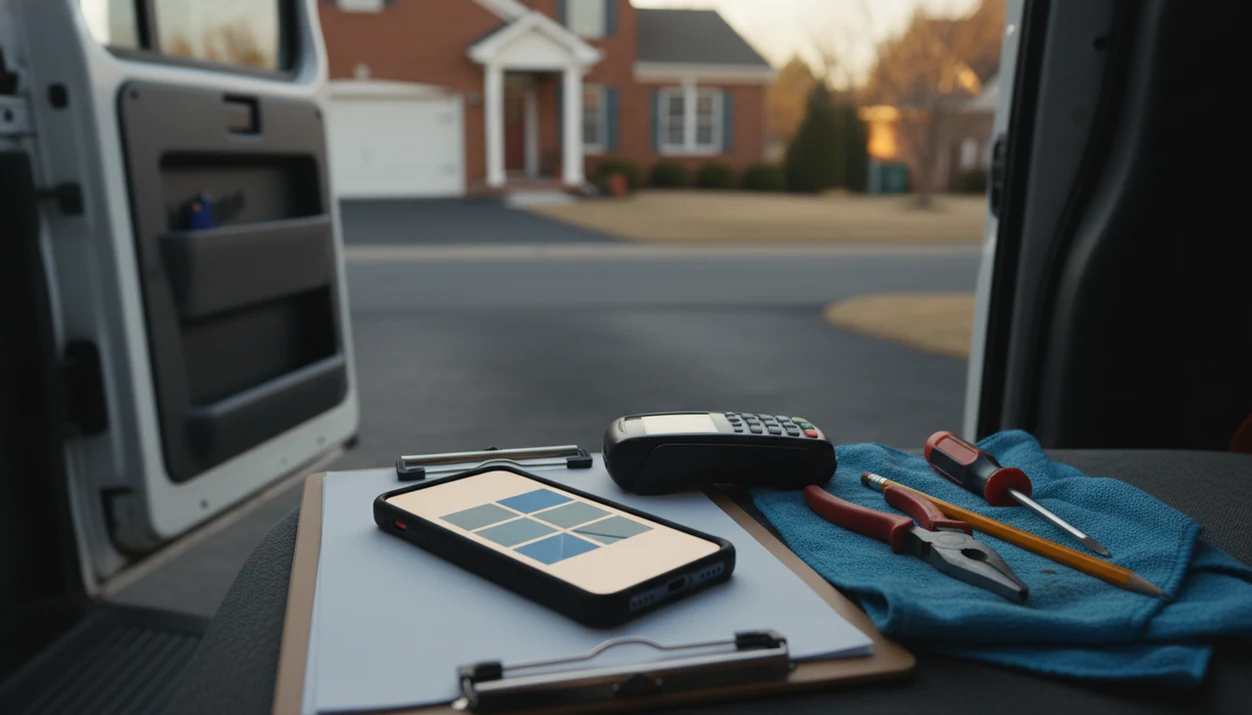
Invoice Maker Teo is an app to help send invoices on the go so freelancers and small businesses can create a professional invoice, send it from their phone, and track whether it has been paid right after each job.
> Definition: Invoice Maker Teo is an invoice maker app that creates invoices, estimates, PDFs, reminders, and payment tracking for freelancers and small businesses.
TL;DR
- Use a mobile billing app when you want to bill a client before leaving the job site, client office, or work vehicle.
- The best mobile invoice workflow saves customers, items, taxes, discounts, and payment terms so repeat invoices take less time.
- Mobile invoicing helps with speed and organization, but it does not replace full bookkeeping, payroll, tax filing, or accountant review.
How an app to help send invoices on the go works
An app to help send invoices on the go works as a lightweight mobile billing system: it turns job details into a client-ready invoice, PDF copy, delivery message, and payment status record. It is not full accounting software, and that distinction matters.
The usual data flow is simple. You choose a client record, add line items, apply taxes or discounts, set payment terms, generate the PDF, send it, then track whether the invoice is paid, unpaid, or overdue. Saved templates, saved customers, and saved items make the second invoice faster than the first. The line item you typed after a repair call can be reused next Thursday.
Small firms are already moving this way. In the 2022 U.S. Census Annual Business Survey, 27.1% of employer firms reported using web or app-based financial tools (https://www.census.gov/programs-surveys/abs.html). The Federal Reserve also reported in 2023 that 82% of small businesses used at least one digital tool for operations or finances (https://www.fedsmallbusiness.org/reports/survey/2023/2023-report-on-employer-firms).
For repeat service businesses, saved client records, reusable items, and PDF delivery make the next invoice easier than the first.
Why send invoices on mobile right after each job
Sending invoices on mobile right after each job reduces forgotten bills and makes client follow-up faster. The practical win is timing: you bill while the labor, materials, mileage, and discount details are still fresh.
A contractor can add wet driveway notes after rain. A cleaner can invoice before the cleaning caddy is wedged behind the seat. A consultant can send the total before the next meeting starts. Photographers, repair techs, mobile detailers, landscapers, and other service providers all face the same small risk: the invoice gets delayed, then the details blur.
A 2022 QuickBooks survey found that 65% of small businesses said digital invoicing and payment tools helped them get paid faster than paper or manual invoices.
When the issue is billing before the day gets away, Invoice Maker Teo covers the moment with phone-based invoice creation, PDF export, and payment status tracking.
Five facts about a mobile billing app for freelancers
- A mobile billing app should create and send a polished invoice from a phone in a few minutes, without requiring a laptop at the end of the job.
- It should store customer records, item lists, taxes, discounts, and payment terms so repeat invoices do not start from a blank screen.
- It should track invoice status, including paid, unpaid, and overdue invoices, so follow-up does not depend on memory.
- It should support PDF invoices and easy sharing by email, text, or messaging, especially when a client asks, “Can you resend that invoice?”
- It should be simpler than accounting software and focused on invoices, estimates, reminders, and payment tracking.
The pocket check is real.
For freelancers who need a narrow billing workflow, Invoice Maker Teo is a practical fit because it keeps invoices, estimates, PDF copies, and unpaid status in one mobile invoice workflow.
How to use an app to help send invoices on the go
Use the same order each time: set the business defaults once, choose the customer, add the job details, review the PDF, then send and track the result. If you want the broader setup process, the full how to make invoice on phone guide covers the basics step by step.
- Set up business details. Add your business name, logo, tax settings, and default payment terms before the first invoice.
- Save the customer. Choose an existing client record or create a new one with the correct spelling, email, phone, and billing address.
- Add the job details. Enter labor, products, expenses, discounts, taxes, and notes, including payment terms in the notes field when needed.
- Review the PDF invoice. Check the invoice number, due date, subtotal, tax line, total, and client name before sending.
- Send and track status. Send the invoice, then monitor paid, unpaid, and overdue status from the phone.
For mobile service providers, sending the PDF before driving away is often easier than rebuilding the job from memory later.
What mobile invoicing looks like in Invoice Maker Teo
Invoice Maker Teo is an invoice maker app that creates invoices, estimates, PDFs, reminders, and payment tracking for freelancers and small businesses. The workflow is built around the phone, not a desk session at the end of the week.
You can create an invoice or estimate, choose a saved customer, add line items, review the PDF, and send it through the channel your client already uses. Some users send through Gmail or Outlook. Others export a clean PDF and send it through Messages or WhatsApp.
A good invoice maker app for freelancers and small businesses should create, send, and track invoices and estimates, not turn a simple billing task into an enterprise accounting project.
The right fit for quick post-job billing is Invoice Maker Teo because it combines invoice creation, customer records, reminders, and payment tracking without pretending to handle payroll or tax filing.
Mobile billing app features to compare before choosing
A mobile billing app should be judged by how quickly it gets a correct invoice out and how easy it is to find that invoice later. Smartphone adoption makes this realistic for many owners; Pew Research Center reported that 85% of U.S. adults owned a smartphone in 2021 (https://www.pewresearch.org/internet/fact-sheet/mobile/).
| Feature | Why it matters | What to check |
|---|---|---|
| Invoice speed | Faster billing reduces delayed follow-up | Can you create and send from the job site? |
| Saved customers | Prevents retyping names and addresses | Are client records easy to edit? |
| Saved items | Speeds repeat services | Can you save labor, products, and rates? |
| Estimates | Helps quote before work starts | Can estimates be reused for invoices? |
| PDFs | Gives the client a clean record | Does the PDF look professional on mobile? |
| Taxes and discounts | Reduces math mistakes | Are tax lines below the subtotal? |
| Reminders | Helps with late payment follow-up | Can you send a reminder without rewriting the invoice? |
| Payment tracking | Shows paid, unpaid, and overdue status | Is status visible at a glance? |
| Free vs paid limits | Prevents surprise restrictions | Check invoice, client, template, and branding limits |
| User reviews | Reveals reliability issues | Look for recent reviews, not only star averages |
Mobile invoicing versus desktop invoices and accounting suites
Mobile invoicing is usually better for job-site billing, saved records, and tracking unpaid invoices from a phone. Desktop templates and full accounting suites still have a place, but they solve different problems.
| Option | Works well for | Tradeoff |
|---|---|---|
| Mobile invoice app | Fast invoices after jobs, estimates, PDF delivery, unpaid tracking | Usually not full bookkeeping or payroll |
| Desktop invoice template | Rare invoices made from a laptop | Slower in the field, easy to lose versions |
| Full accounting software | Complex books, payroll, inventory, tax reporting, finance teams | More setup, more features than many freelancers need |
Spreadsheets can work if you invoice once a quarter. They get clumsy when row height breaks because a line item description runs long, or when yesterday’s copied due date stays on today’s invoice.
Statista reported that global mobile point-of-sale payment transaction value reached about 3.4 trillion U.S. dollars in 2023, which reflects the broader shift toward mobile payment workflows.
For service businesses, mobile invoicing is often faster than desktop templates because the invoice can be created, sent, and marked unpaid before the next stop. If delivery is your main question, the how to send invoice with phone walkthrough is a useful companion.
Limitations
Mobile invoicing is useful, but it has limits. Review these before relying on one app for all billing records.
- Mobile invoicing apps usually do not replace full bookkeeping, chart-of-accounts reporting, or accountant review.
- They usually do not handle payroll, tax filing, formal compliance work, or year-end tax strategy.
- Internet access can affect sending, especially from basements, rural job sites, or busy venues.
- Device battery matters. A dead phone means no invoice until the device is charged.
- App reliability matters, so recent user reviews are worth reading before you depend on any one workflow.
- Customer contact accuracy affects delivery; one wrong email address can make an invoice look unpaid when it was never received.
- Payment processor fees, payout timing, and payment availability may vary by provider and region.
- Free plans may limit invoices, clients, templates, exports, reminders, or branding.
- Export options matter if your bookkeeper needs PDF copies or reports later.
Invoice Maker Teo is built for mobile billing, estimates, reminders, and payment tracking, but users should still compare export options and paid limits against invoice-simple.com, FreshBooks, or Wave if they need broader accounting features.
FAQ
What is a mobile invoice app?
A mobile invoice app is a phone-based tool for creating, sending, and tracking invoices. It usually stores customer details, line items, taxes, payment terms, and invoice status.
Can I send invoices from my phone?
Yes, you can create and send invoices from a smartphone without using a laptop. Many apps let you send a PDF invoice by email, text, or messaging.
What should an invoice app include?
An invoice app should include customer records, line items, taxes, discounts, PDF invoices, reminders, and payment tracking. Saved items and payment terms also help repeat invoices take less time.
Is mobile invoicing safe?
Mobile invoicing can be safe when you use reputable apps, secure passwords, device lock settings, and trusted payment processors. Avoid sending sensitive billing details through untrusted networks or unknown apps.
Do invoice apps track unpaid invoices?
Yes, many invoice apps track paid, unpaid, and overdue invoices. This helps users follow up without searching through old emails or spreadsheets.
Can I make estimates on mobile?
Yes, many mobile billing apps can create estimates from a phone. Some also let you reuse estimate details when creating the invoice.
Are invoice apps free?
Some invoice apps offer free features, while paid plans may unlock more invoices, templates, clients, reminders, exports, or branding. Check the limits before using one for regular billing.
Do invoice apps replace accounting software?
Invoice apps help with billing, estimates, reminders, PDFs, and payment tracking. They usually do not replace full accounting software, payroll tools, tax filing, or accountant review.