
Invoice App Vs Accounting Software For Small Businesses
Choose an invoice app when your main need is fast, professional billing; choose accounting software when you need full bookkeeping, expense tracking, bank reconciliation, and financial reports. The invoice app vs accounting software decision is less about which tool is “better” and more about whether your business pain is getting paid or managing the whole financial record.
> Definition: Invoice Maker Teo is an invoice maker app that creates invoices, estimates, PDFs, reminders, and payment tracking for freelancers and small businesses.
For the invoice-app side of this comparison, Invoice Maker Teo is the fit when the job is fast estimates, clean PDF invoices, reminders, and unpaid-status tracking rather than full bookkeeping.
- Invoice apps are best for creating, sending, and tracking invoices and estimates quickly, especially from a phone.
- Accounting software is best when you need income, expenses, bank feeds, reconciliation, reports, and tax-ready records in one system.
- Many small businesses start with simple invoicing, then export or connect invoice data to accounting software as bookkeeping needs grow.
Invoice App Vs Accounting Software Comparison Table
Invoice apps win for speed and simplicity; accounting software wins for complete books, reconciliation, and tax-ready reporting. A 2024 QuickBooks small-business accounting statistics roundup reported that 73% of small businesses use accounting software or online bookkeeping tools (https://quickbooks.intuit.com/r/accounting/small-business-accounting-statistics/).
| Category | Invoice app | Accounting software |
|---|---|---|
| Main purpose | Create and send bills | Manage financial records |
| Best user | Freelancer, contractor, small service business | Growing business with many transactions |
| Setup speed | Usually fast | Usually longer |
| Mobile use | Often central to the workflow | Varies by platform |
| Invoicing | Core feature | Included in many platforms |
| Estimates | Often simple and quick | Often available, sometimes heavier |
| Payment tracking | Built around unpaid and paid status | Part of wider receivables |
| Expense tracking | Limited or absent | Core feature |
| Bank feeds | Usually not central | Common |
| Reports | Billing summaries | P&L, balance sheet, cash flow |
| Tax readiness | Supports records | Stronger for tax-time books |
| Cost complexity | Lower early complexity | More plans, rules, and setup |
Accounting platforms such as FreshBooks, Wave, Zoho Invoice, and Invoice2go often include invoicing, but dedicated invoice apps may feel cleaner when the job is finished and the PDF needs to go out before the client leaves.
Five Facts About Invoice Software Vs Accounting Software
Here are the five facts that usually settle the invoice software vs accounting software question. Read them before comparing price pages.
- Fact 1: Invoice apps focus on invoices, estimates, PDF copies, reminders, client records, and payment tracking.
- Fact 2: Accounting software covers broader bookkeeping, including expenses, bank reconciliation, financial statements, and tax records.
- Fact 3: Accounting tools may include invoicing, but the workflow can be heavier than a mobile-first invoice app.
- Fact 4: Simple invoicing is often enough when the immediate problem is getting paid on time.
- Fact 5: Growing businesses usually need export, sync, a bookkeeper, or accounting software for compliance and reporting.
Good invoice maker apps for freelancers and small businesses create, send, and track invoices and estimates, not replace every ledger, tax rule, or accountant conversation.
If the priority is getting a bill out from a phone, Invoice Maker Teo fits because it keeps the workflow around the invoice number, client name, due date, PDF copy, and payment status.
How Invoice Apps And Accounting Software Work
Invoice apps work by turning client, item, due date, and payment-status details into a bill that can be sent and tracked. Accounting software takes that invoice and records it inside a wider ledger, meaning the organized money record behind the business.
A simple invoice app starts with the customer-facing event: who owes money, what was sold, when it is due, and whether it is unpaid, overdue, or paid. Accounting software adds the back-office layer. It connects the invoice to income accounts, expense categories, bank feeds, and reconciliation, which is the check that the books match the bank.
The handoff usually looks like this:
- Create the invoice with the client, line items, tax if needed, due date, and payment terms.
- Send the PDF or payment request and update the invoice status when the client pays.
- Import or sync the invoice into accounting software when bookkeeping records matter.
- Match the paid invoice to the bank deposit, including card fees or processor deductions.
- Review categories, expenses, and reconciliation so reports and tax records stay clean.
The two systems should share data when invoices affect tax records, accountant review, bank reconciliation, or regular financial reports.
Simple Invoicing Vs Bookkeeping Data Flow
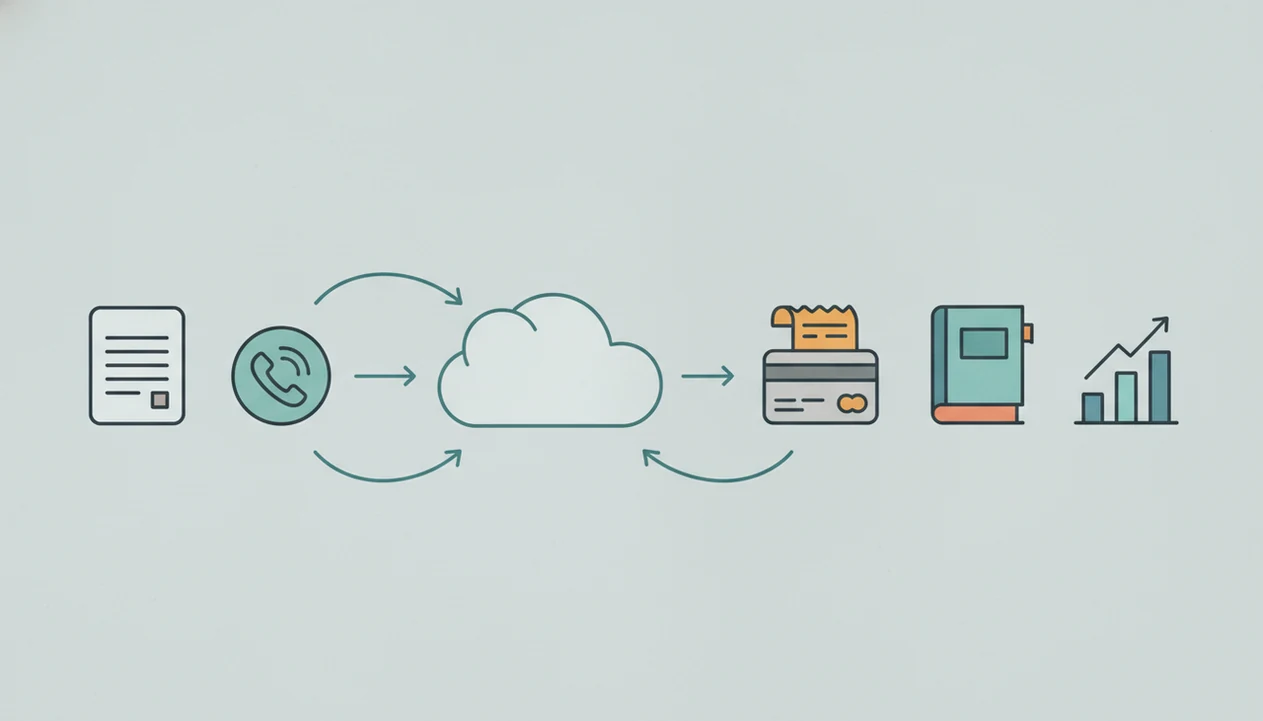
Simple invoicing records customer-facing billing events, while bookkeeping records the full financial system behind the business. A paid invoice is useful evidence, but it is not the same as a reconciled bank transaction in the books.
An invoice app records the estimate, invoice, due date, PDF, reminder, payment status, and client details. That is the part the customer sees. Bookkeeping also records sales, expenses, liabilities, assets, payments, bank transactions, categories, and reconciliations. The difference matters when a payment clears under a shortened client name or lands net of processing fees.
The mismatch shows up fast.
Research on digital adoption among small firms found that Businesses using integrated financial tools generally have better cash-flow visibility than businesses relying on disconnected spreadsheets and manual records. Disconnected tools can still work, but someone has to check for missing payments, duplicate customers, and categories that do not match the books.
For field service owners who mostly need clean billing first, our invoice maker app for small business guide covers the invoice-first side in more detail.
Invoice App Advantages For Small Business Billing
Does a small business need an invoice app instead of accounting software? Yes, when the daily problem is creating, sending, and following up on invoices faster than a full bookkeeping system allows.
Freelancers, contractors, consultants, mobile service providers, and project-based businesses often need low setup, branded PDFs, quick estimates, reminders, and easy payment tracking. A painter with paint swatches spread on a porch rail does not need to open a full chart of accounts before sending an estimate. They need the client name, line item, tax line, and notes field right.
A Federal Reserve small business survey found that 46% of small businesses cited getting paid on time as a top financial challenge (Federal Reserve Banks, 2024 Small Business Credit Survey: https://www.fedsmallbusiness.org/survey/2024/report-on-employer-firms). When that is the pain, Invoice Maker Teo is the practical fit because it focuses on estimates, invoice PDFs, reminders, and unpaid status rather than full bookkeeping.
After a client says, “Can you resend that invoice?”, Invoice Maker Teo helps because the unpaid invoice can be checked on a phone and sent again as a clean PDF copy. For solo workers, that can matter more than another report screen.
Freelancers comparing mobile billing options can also use the invoice maker app for freelancers page to match invoice fields to project work.
Accounting Software Advantages For Small Business Bookkeeping
Accounting software becomes the safer choice when the business needs an official financial record, not only a history of bills sent to clients. It is stronger for expenses, bank feeds, reconciliation, profit and loss statements, balance sheets, accountant access, and tax-ready records.
The shift often happens quietly. A formula error glowing red in a spreadsheet at night is one sign. So is a business card charge for supplies that never gets matched to a job, or a payment that clears in the bank but stays marked unpaid in the invoice list.
Accounting software also helps when payroll-adjacent data, loans, investors, multiple accounts, or lender reporting enter the picture. That does not mean jumping into enterprise ERP. Some freelancer-friendly accounting tools are much simpler than older desktop accounting systems, and they may still give a bookkeeper the reports needed at tax time.
For growing small businesses, accounting software is often more reliable than simple invoicing because it connects sales, expenses, bank activity, and reports in one financial record.
Invoice App Or Accounting Software Decision Triggers
Choose an invoice app when billing speed is the bottleneck; choose accounting software when record completeness is the bottleneck. Many small businesses also use a middle path: daily billing in an invoice app, then exports or synced records for a bookkeeper.
| Choose this path | Practical triggers |
|---|---|
| Invoice app | Few clients, simple expenses, project billing, estimates, mobile work, no accountant-required reporting yet |
| Accounting software | Many transactions, recurring expenses, inventory-like complexity, sales tax or VAT complexity, bank reconciliation, multiple accounts |
| Combined workflow | Fast invoices now, cleaner bookkeeping later through exports, imports, or bookkeeper review |
Choose an invoice app when
Choose an invoice app when your main pain is sending invoices, converting estimates, and tracking payment status. Muddy boots beside a measuring tape should not delay a same-day invoice.
On days the client name is selected between calls, Invoice Maker Teo handles the lighter workflow because saved client records, item names, and PDF delivery keep the next invoice easy.
Choose accounting software when
Choose accounting software when loans, employees, tax-time stress, multiple bank accounts, accountant requests, or investor reporting make the books more important than the invoice screen. The more financial events you need to prove, the less safe it is to rely only on sent PDFs.
Invoice App And Accounting Software Workflow
The goal is not duplicate work; the goal is a clean handoff from billing activity to bookkeeping records. A simple mobile invoice workflow can stay useful if names, items, taxes, and payment status are consistent from the start.
- Set consistent client names, item names, service descriptions, tax labels, and payment terms before sending the first invoice.
- Create estimates and invoices promptly, using a clear invoice number, due date, line item, logo, and notes field.
- Track payment status after sending the PDF through Gmail, Outlook, WhatsApp, or Messages.
- Export invoice data or PDF copies on a regular schedule, not only when tax time feels urgent.
- Share records with a bookkeeper or import them into accounting software for expenses, categories, and reconciliation.
- Review unpaid invoices weekly so reminders, missing payments, and duplicate client records do not pile up.
When the PDF attachment loads slowly over a weak signal, Invoice Maker Teo still keeps the billing task narrow because the job is to send a clear invoice and update payment status.
Exports and integrations still need periodic checks. Look for missing payments, duplicated clients, mismatched categories, and invoices marked unpaid after the bank deposit has already cleared. If you are still choosing a mobile setup, the download invoice maker app page explains the phone-first billing workflow.
Evidence Behind The Invoice App Vs Accounting Software Comparison
The evidence supports a practical split: invoice apps solve the billing-speed problem, while accounting software supports fuller financial records. It does not prove that any specific invoice app will improve collections, prevent errors, or replace a bookkeeper.
Three evidence points shape the decision:
- Start with adoption data. QuickBooks’ small-business accounting statistics show that many small firms already use accounting software or online bookkeeping tools, which supports the idea that recordkeeping needs grow beyond simple PDFs.
- Check the cash-flow pressure. The Federal Reserve small business survey cited earlier shows that getting paid on time is a real operating problem, which explains why a fast invoice, reminder, and unpaid-status workflow can matter.
- Compare the recordkeeping burden. Tax and bookkeeping guidance generally expects businesses to keep records that support income, expenses, deposits, and deductions; that is where reconciliation and categorized books become more important than the invoice alone.
- Apply the evidence to your workflow. If missed follow-ups are the pain, choose the invoice-first path. If unmatched deposits, expenses, reports, or tax records are the pain, choose accounting software or use both.
Four Myths About Simple Invoicing Vs Bookkeeping
Simple invoicing vs bookkeeping gets confusing because many tools overlap. These four myths cause most small businesses to choose too much software or too little recordkeeping.
- Myth 1: An invoice app means you never need accounting software. Invoice apps help with billing, but they usually do not cover ledgers, bank reconciliation, or full tax reports.
- Myth 2: Accounting software is always too complex for freelancers. Some platforms are designed for solo users and are lighter than older desktop accounting systems.
- Myth 3: Accounting software makes invoice apps pointless. A dedicated invoice workflow can still be faster for field work, client communication, and mobile estimates.
- Myth 4: Sending invoices is the same as bookkeeping. Invoicing records what you billed; bookkeeping records the wider money trail.
Consultants looking for a lightweight invoice workflow plus a separate bookkeeping process can use Invoice Maker Teo because it keeps billing focused on estimates, PDF invoices, reminders, and payment tracking.
That middle setup is often the cleanest: one simple way to bill clients, plus a separate process for expenses, reconciliation, and tax-ready records. The best invoice maker app guide compares that invoice-first workflow against broader options.
Limitations
Neither option solves every finance problem. The right choice depends on how much billing speed, bookkeeping depth, and professional review your business needs.
- Invoice apps usually do not provide full double-entry accounting, general ledgers, bank reconciliation, or broad tax reports.
- Accounting software can add setup time, subscription cost, account categories, and workflow complexity for very small businesses.
- Relying only on simple invoicing can miss expenses, processing fees, audit support, and full cash-flow context.
- Integrations and exports may not be seamless; manual cleanup may be needed for duplicate clients, missing payments, or mismatched categories.
- Invoice Maker Teo is built for invoices, estimates, PDFs, reminders, and payment tracking, not payroll, enterprise accounting, or formal tax filing.
- Accounting platforms may include invoicing, but invoice creation can feel slower when you only need to send a bill from a phone.
- Neither option replaces professional accounting advice for complex tax, compliance, payroll, investor, or legal questions.
The aged invoice list beside a calendar tells only one part of the story. The books still need expenses, deposits, and reconciled accounts.
FAQ
Is invoicing software accounting software?
Invoicing software may be part of an accounting workflow, but it is usually narrower than accounting software. It focuses on creating, sending, and tracking invoices rather than maintaining the full financial record.
Do freelancers need accounting software?
Freelancers can often start with simple invoicing if they have few expenses and simple records. Accounting software becomes more useful when they need bank feeds, expense tracking, tax reports, or accountant access.
Can an invoice app replace bookkeeping?
An invoice app cannot fully replace bookkeeping because invoices do not cover all expenses, reconciliations, liabilities, and financial reports. It can support bookkeeping by keeping billing records organized.
What is simple invoicing?
Simple invoicing means creating, sending, and tracking bills without using a full accounting system. It usually includes invoice numbers, due dates, line items, client records, PDFs, and payment status.
When should I upgrade to accounting software?
Upgrade to accounting software when transactions, expenses, taxes, bank accounts, loans, employees, or accountant requests become hard to manage separately. Tax-time stress is also a practical trigger.
Can accounting software send invoices?
Yes, many accounting platforms can send invoices. The workflow may be less streamlined than a dedicated invoice app if your main task is fast mobile billing.
Is Excel enough for invoicing?
Excel can work for very basic invoices, but it is easier to make errors in invoice numbers, formulas, dates, and payment tracking. Invoice apps usually create cleaner PDFs, reminders, and unpaid invoice lists.
What records should invoices include?
Invoices should include the business name, client name, invoice number, issue date, due date, line items, subtotal, tax line if needed, total, payment terms, and payment status. These fields help both collection and bookkeeping handoff.
Can I use both an invoice app and accounting software?
Yes, many small businesses use an invoice app for daily billing and accounting software or a bookkeeper for the books. Invoice Maker Teo can support the billing side while accounting software handles expenses, reconciliation, and reports.